MIKODES VOX
A personal AI assistant that speaks first: it learns the user, runs their errands, and calls their mobile to tell them the result. Operator documentation for version 2.0.0.
Read this first — the honest status. Every feature described here is built and covered by offline automated tests (fake Twilio, Stripe, Google and model endpoints). Not one real phone call, SMS, Stripe payment, Google sign-in or live research request has been made from this code base. Your first call is the first call. Make it to your own phone and listen before you put users on it.
1. Introduction
VOX is sold as source code. You — the operator — run it on your own server, with your own provider accounts, under your own brand. MIKODES does not operate anything: there is no licence server, no phone-home and no telemetry.
The same code runs in two ways:
| Mode | Command | Who it is for |
|---|---|---|
| Single-user | python -m voice up |
One person, one install. A local console on 127.0.0.1:8766, the job worker, and the
media server for calls. |
| SaaS | python -m voice saas |
You sell subscriptions. A public site with sign-up, one private console per end user
(tenant) at /app/, an operator panel at /op/, Stripe billing,
plans and quotas, one worker and one media server for all tenants. |
What VOX does
- Profile. 12 onboarding questions build a 500-point profile in 16 categories. Every
fact records its source (
asked,corrected,inferred). Inferred facts are marked and can be deleted one by one or all at once with one click. - Two-way phone calls over Twilio with barge-in (the assistant stops talking when you talk): Twilio → ElevenLabs speech-to-text → Anthropic Claude → ElevenLabs text-to-speech → Twilio, built on pipecat.
- Jobs that end in a call: research (Claude with web search, only real sources), desktop clean-up with preview, confirmation and undo, reminders, a morning briefing and wake-up rituals, and a mail watcher that calls when something important arrives (Gmail, read-only).
- Google Calendar (read; new events only as proposals you confirm) and MCP servers (registered with a mandatory licence field; write tools always wait for confirmation).
- SMS / WhatsApp to your own number, a fixed list of SMS commands, and inbound calls protected by a PIN.
- PC actions (single-user mode only): 17 file actions with plan → confirm → undo.
Language. The user interface (console, public site, operator panel), the CLI and
this documentation are in English. What is spoken on a call or sent to the user's phone
follows the call language: English (the default) or, optionally, Slovak
(--lang en or --lang sk, or the profile's language). The AI disclosure exists in
both. The longer operator guide is docs/08-INSTALLATION.md; the feature catalogue with
verification status is docs/10-FEATURES.md.
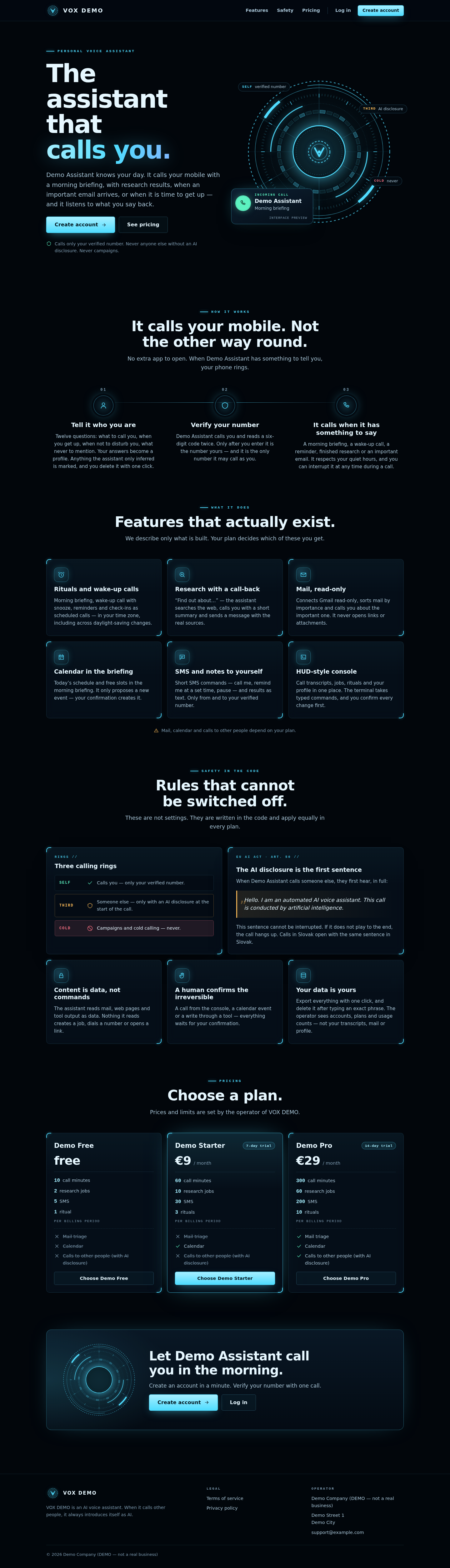
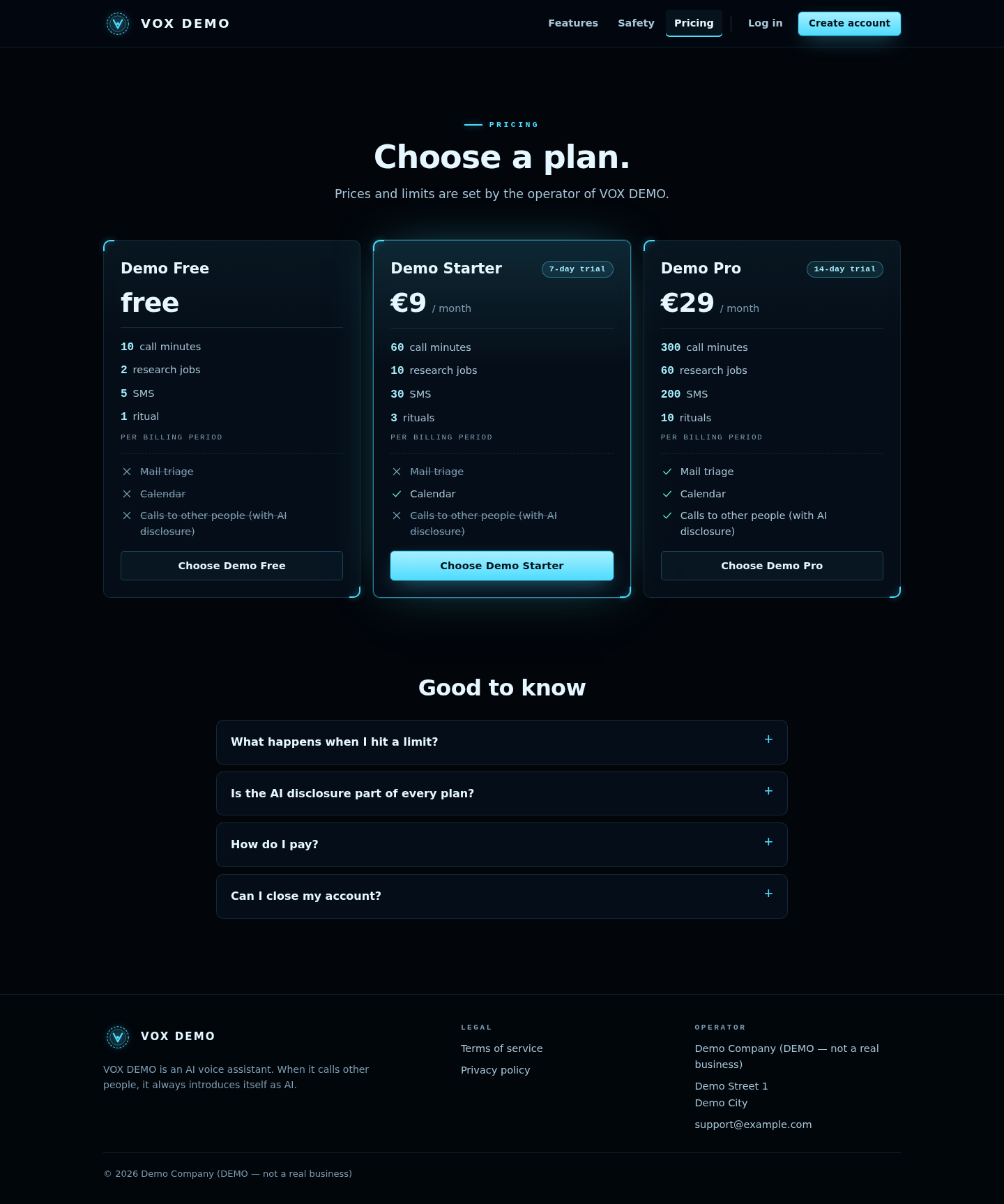
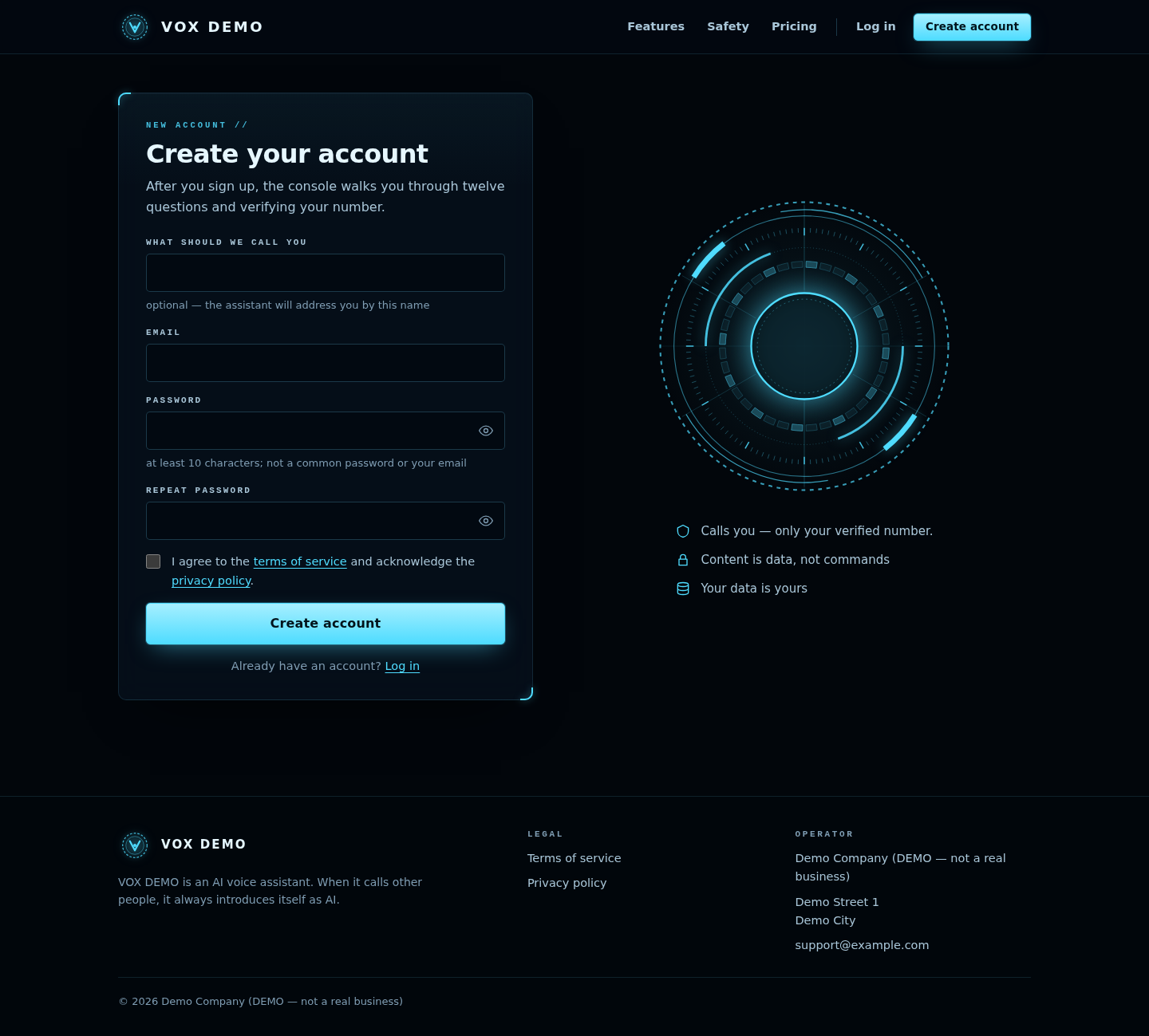
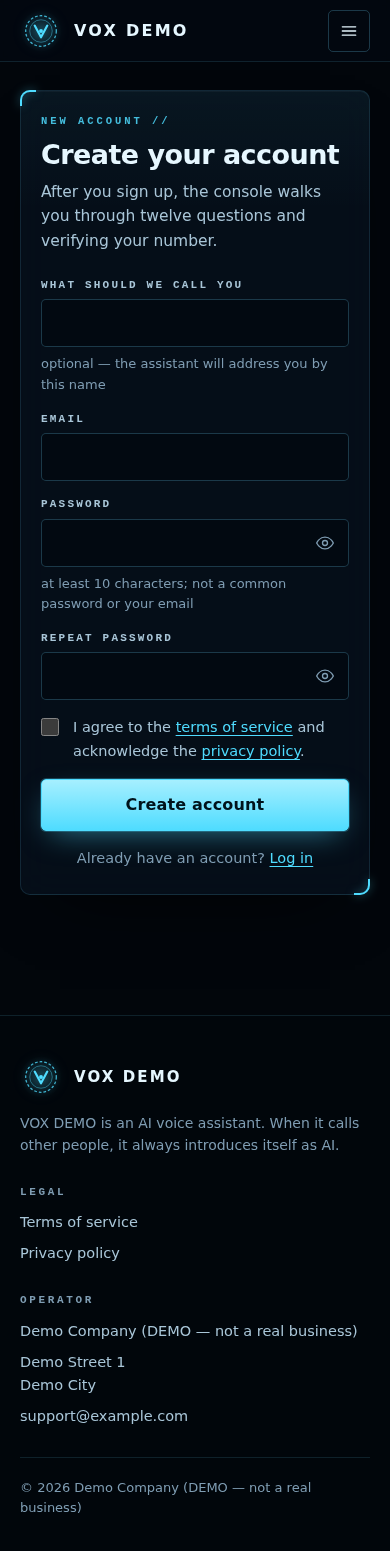
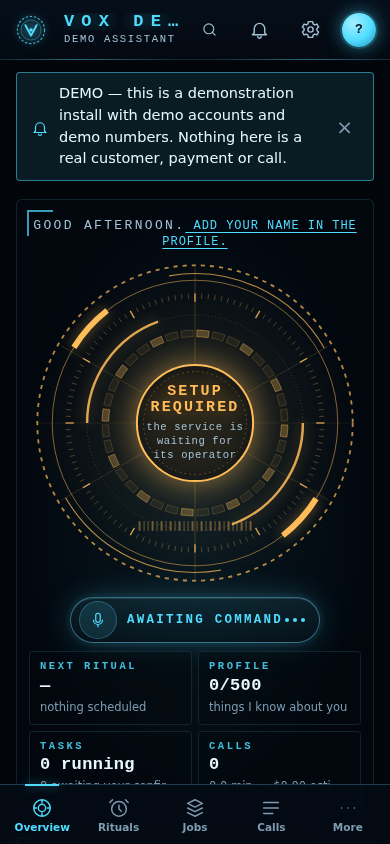
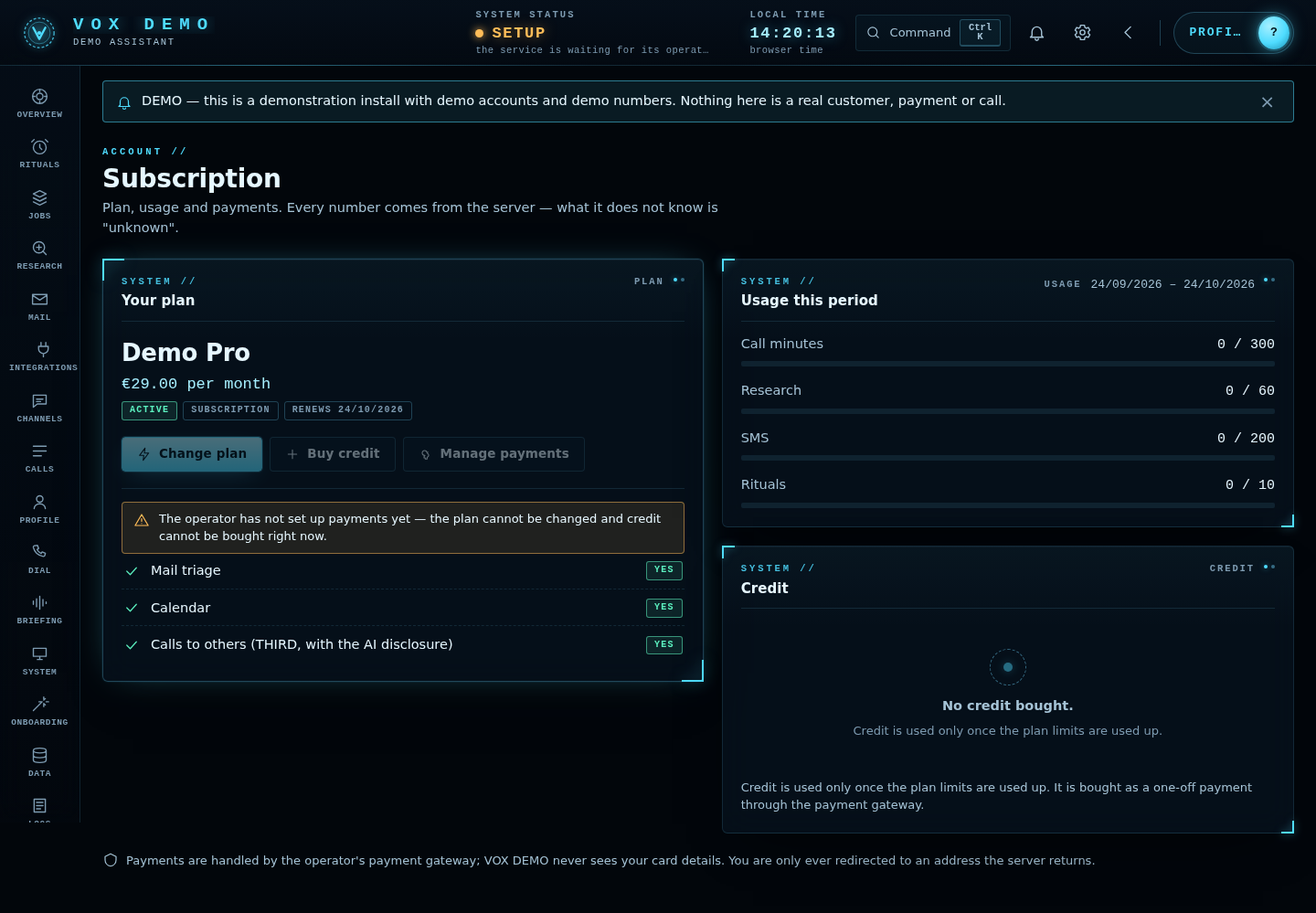
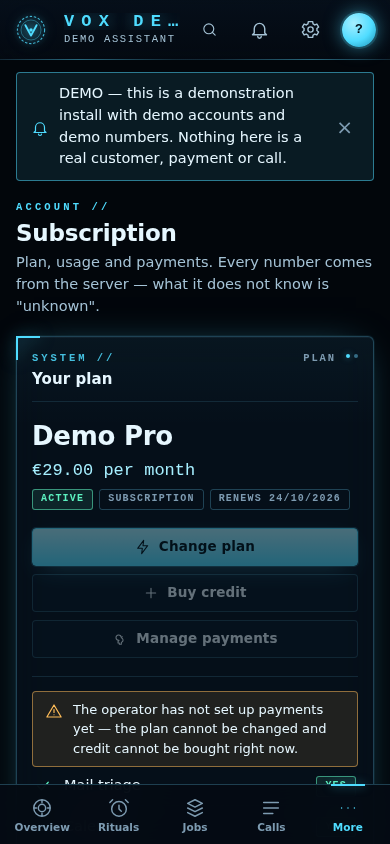
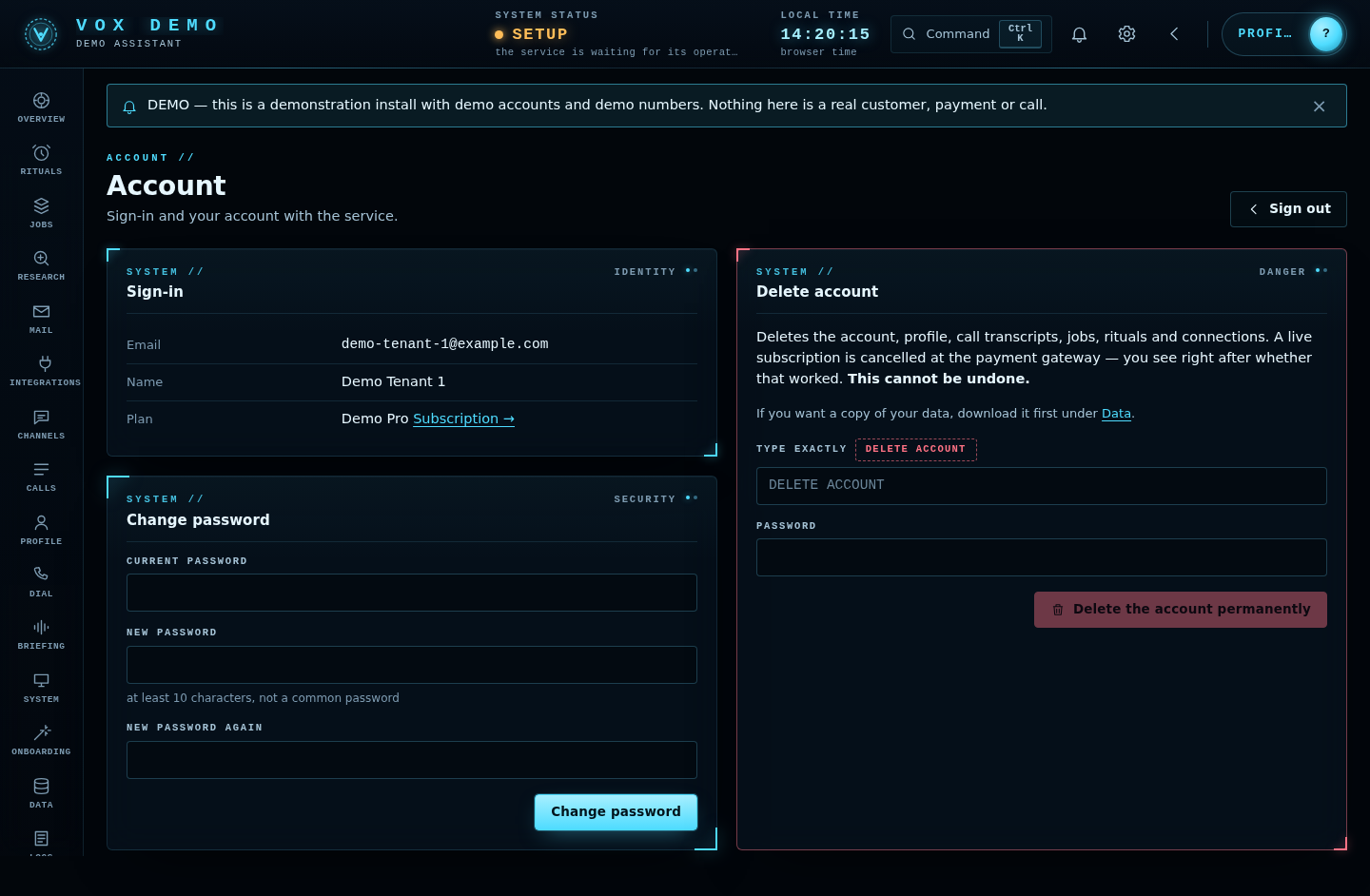
Screenshots
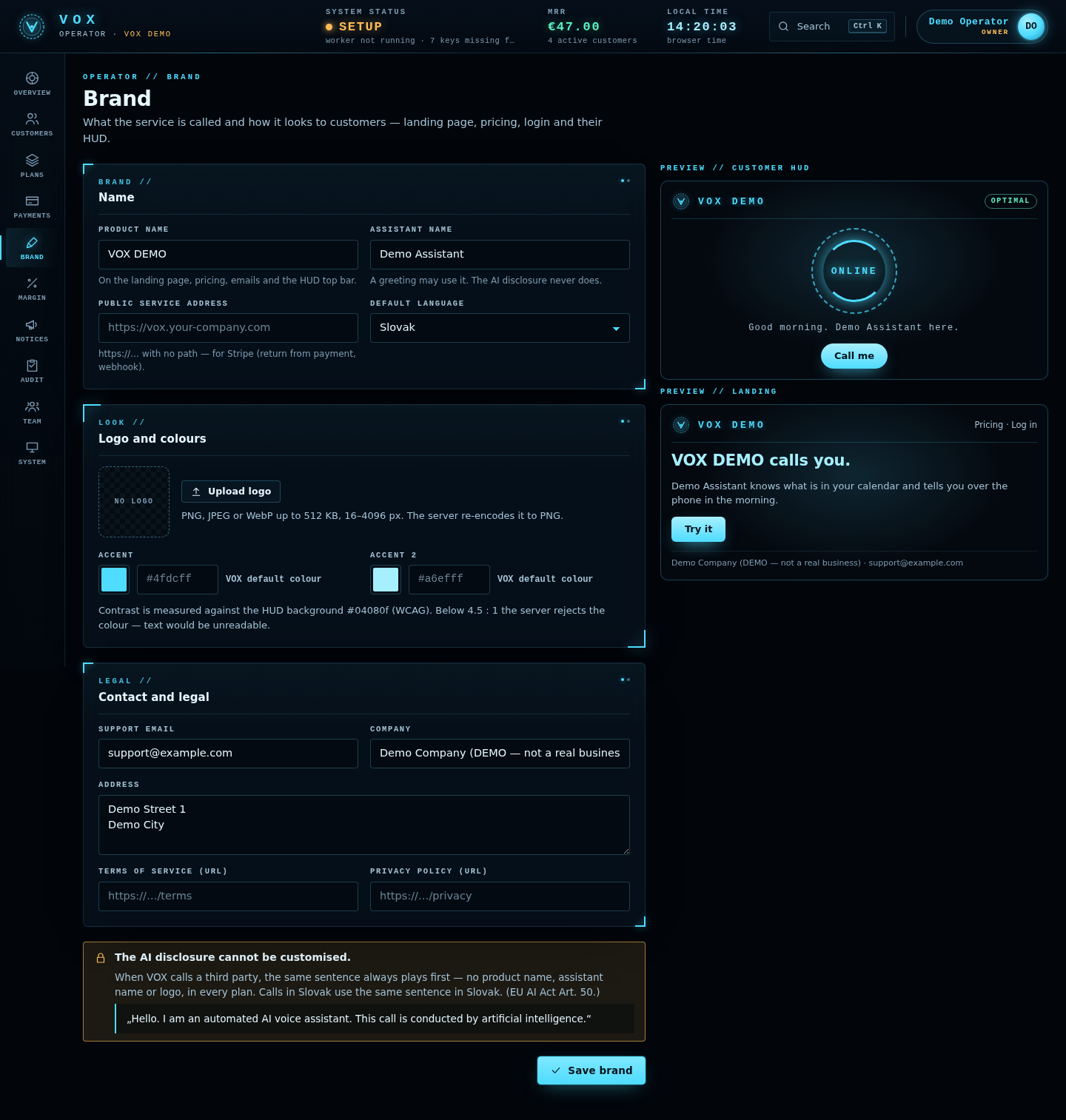
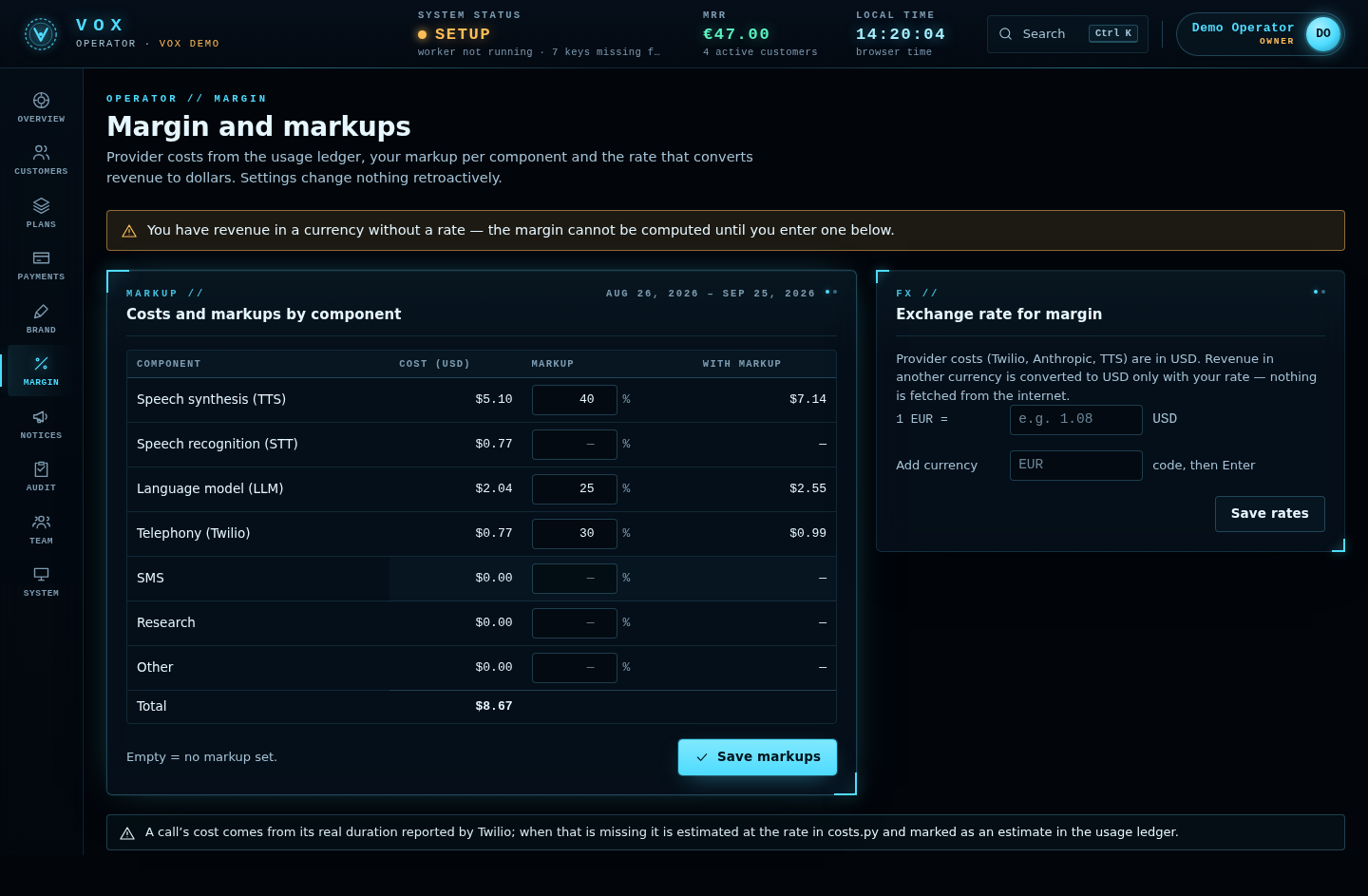
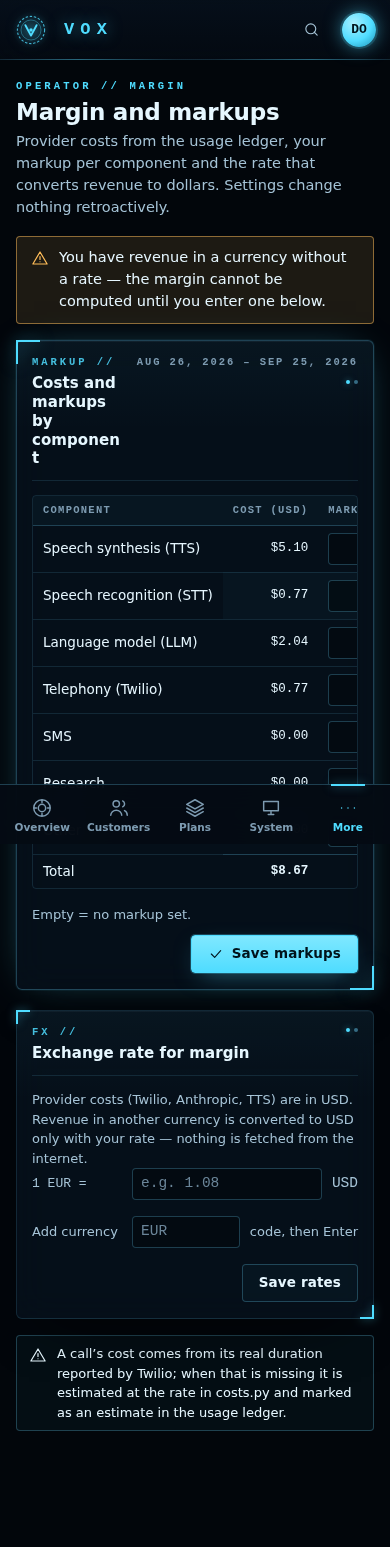
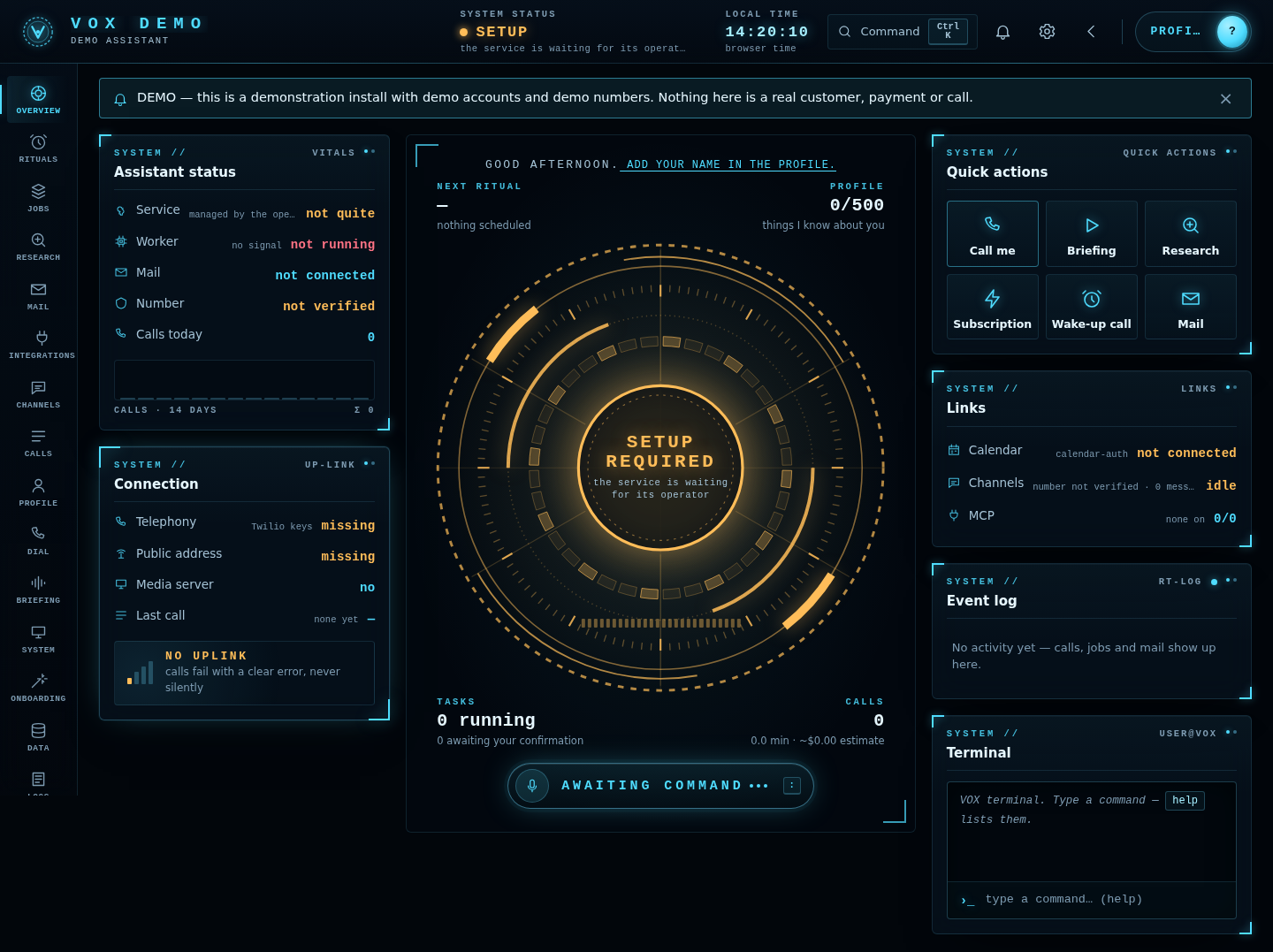
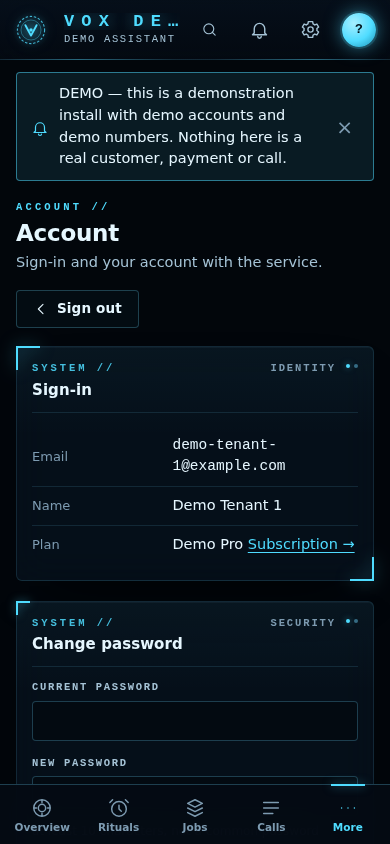
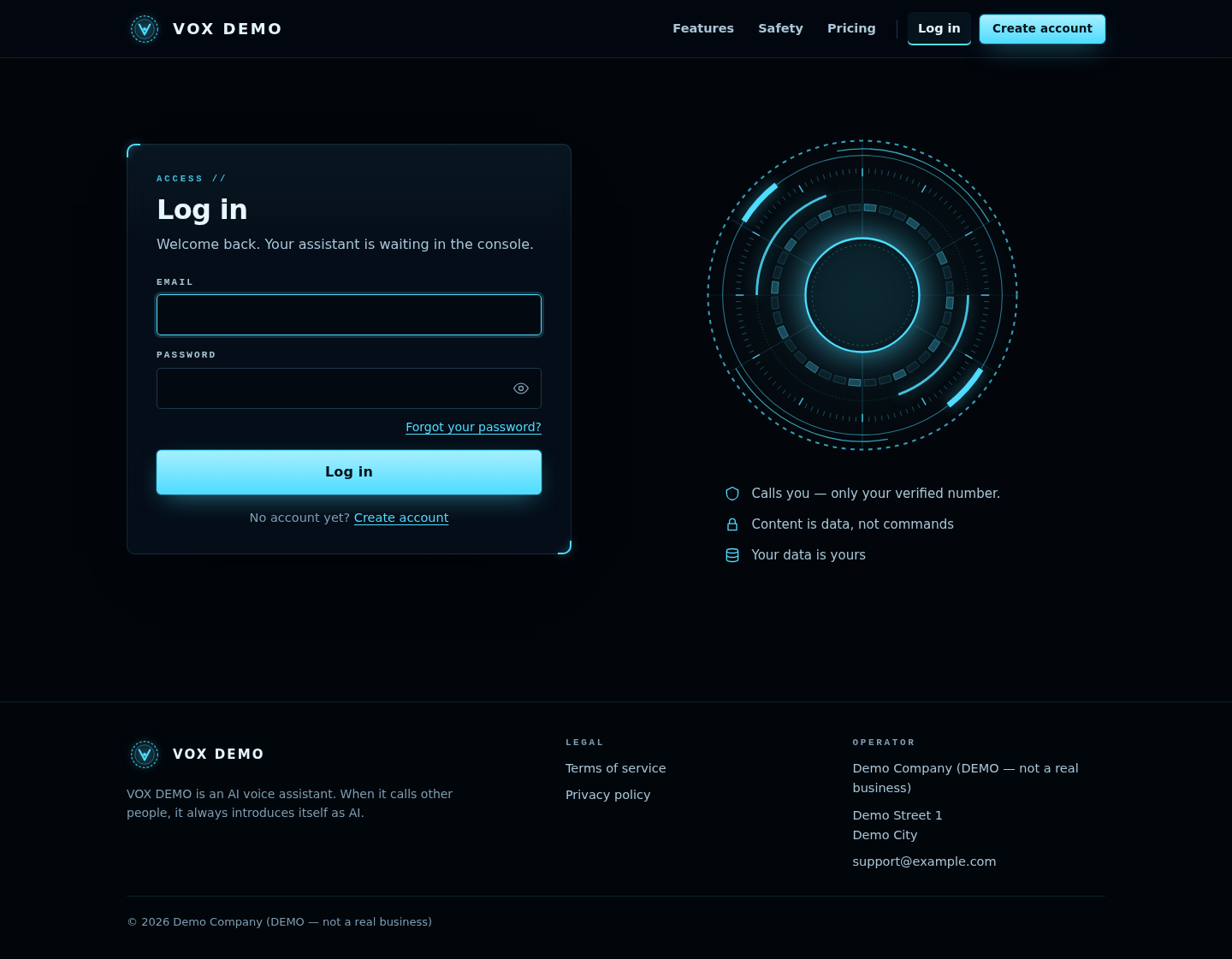
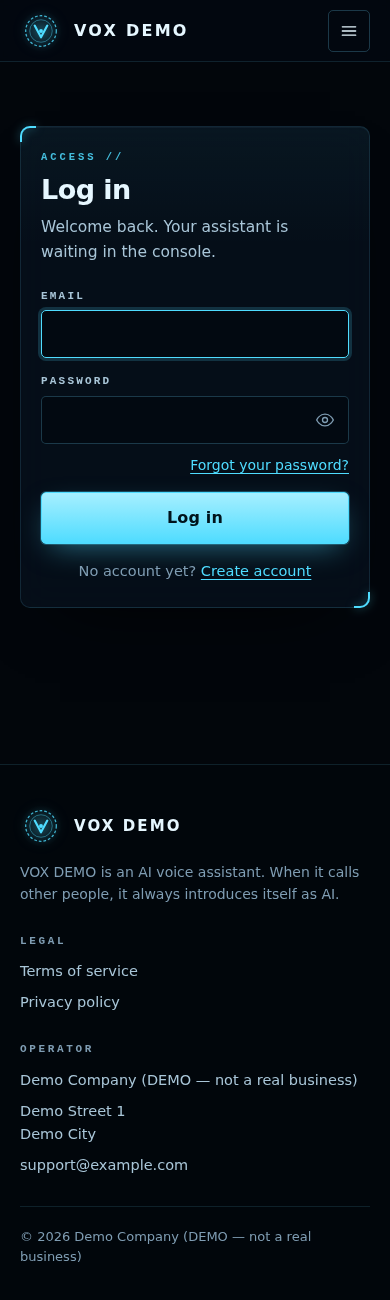
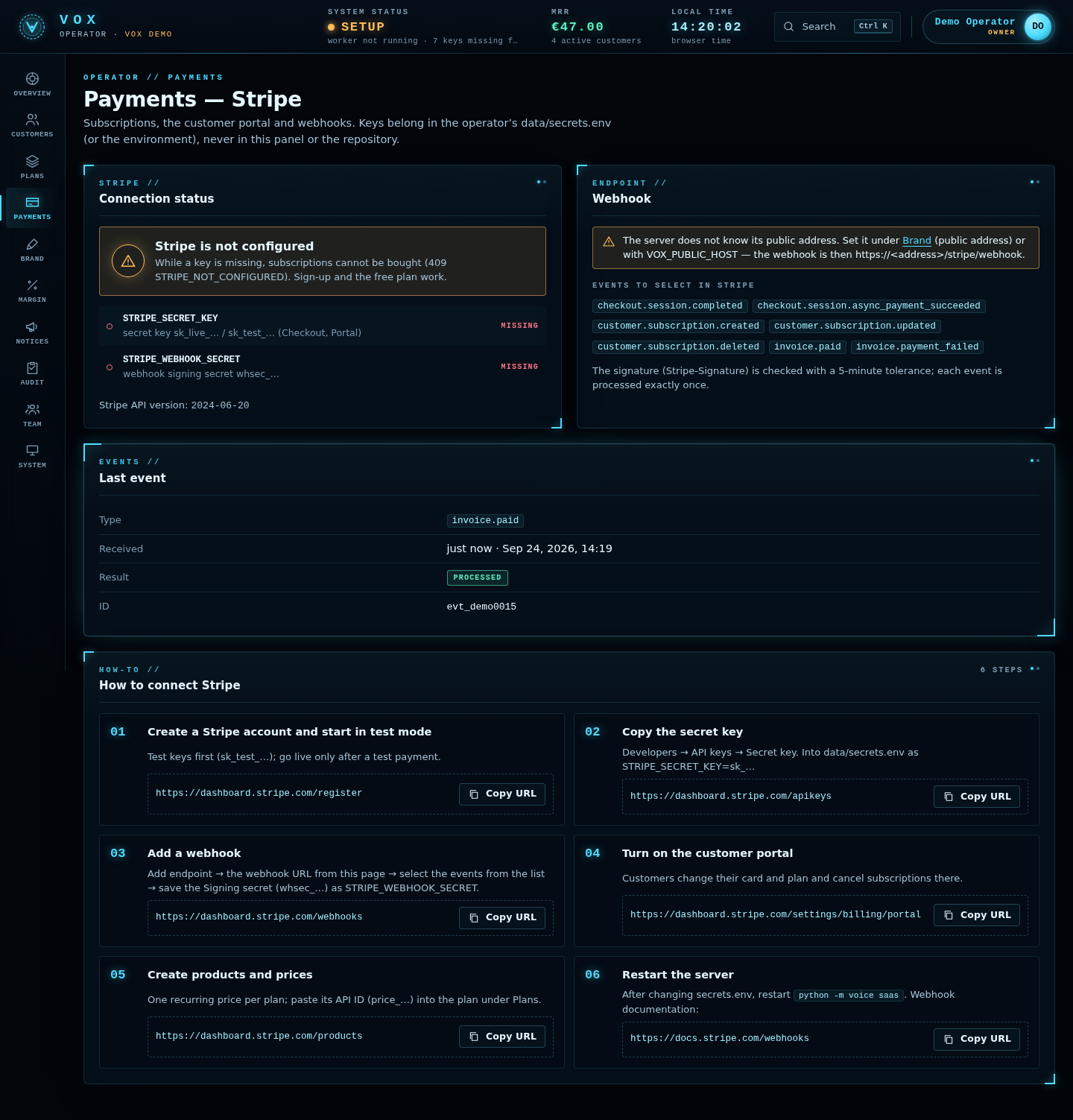
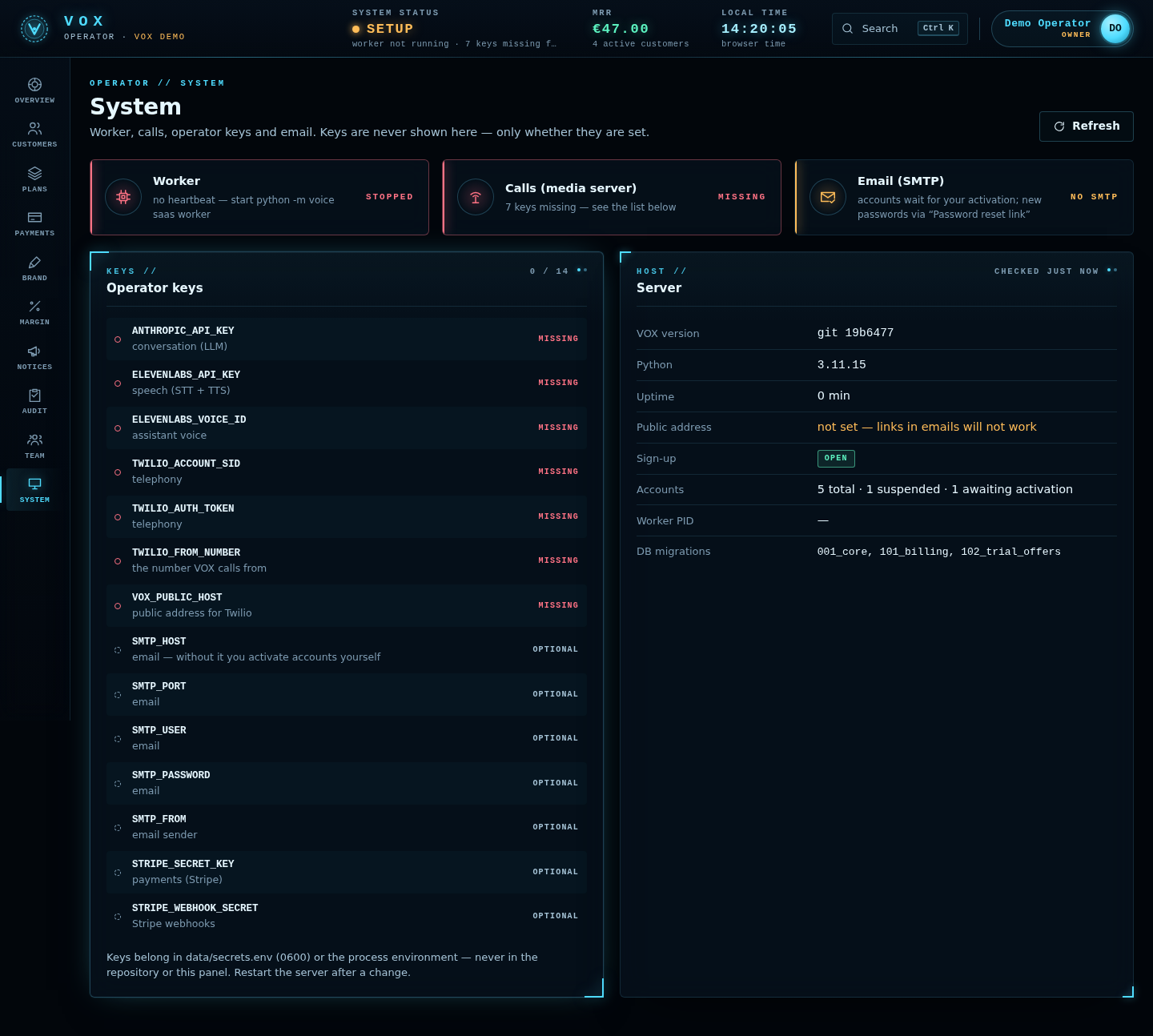
Taken from a labelled DEMO data directory (scripts/make_demo.py, scripts/screenshots.py),
never from real data. Each screen exists at desktop width (-1440.png) and phone width
(-390.png) in documentation/screenshots/.


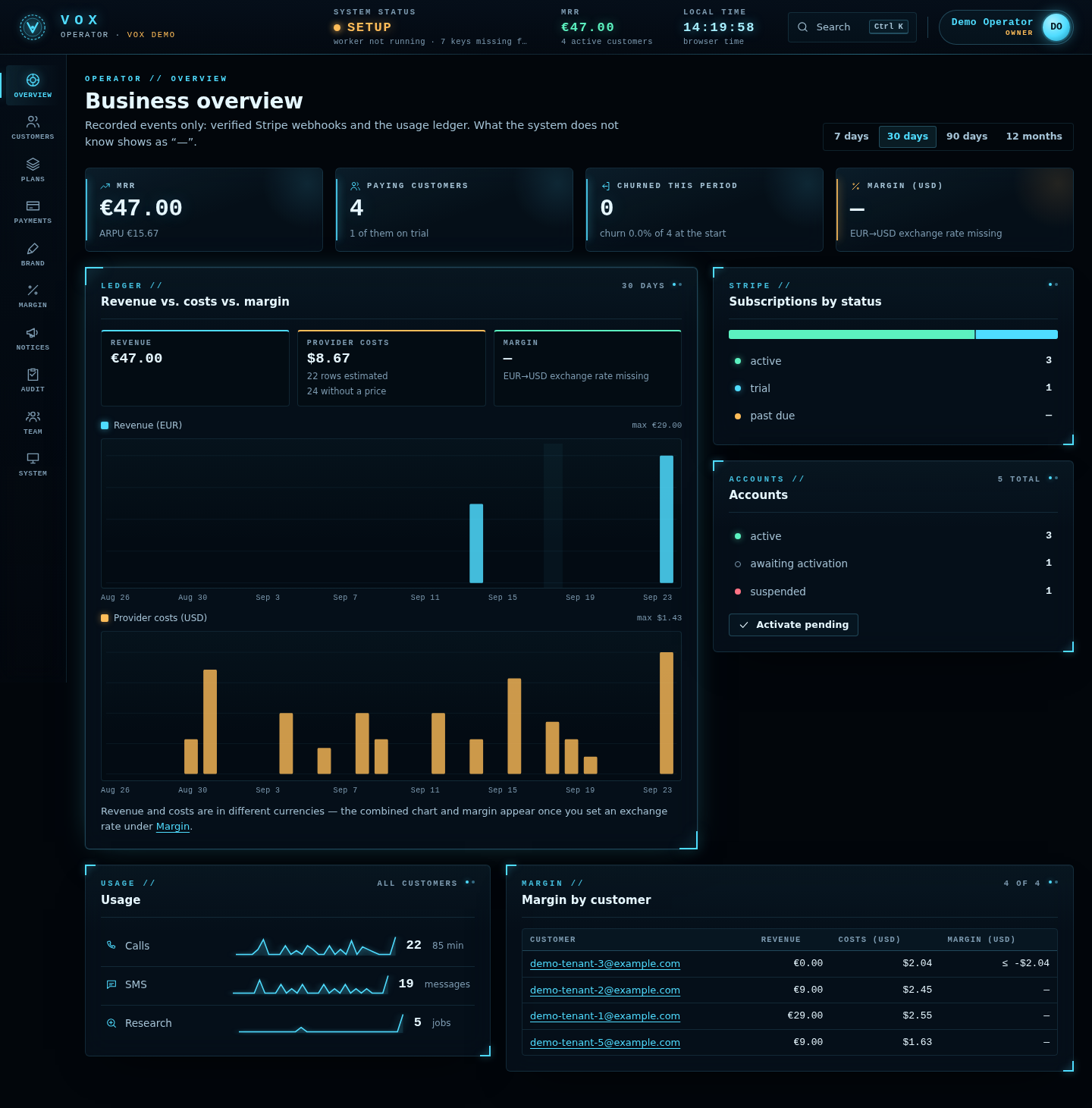

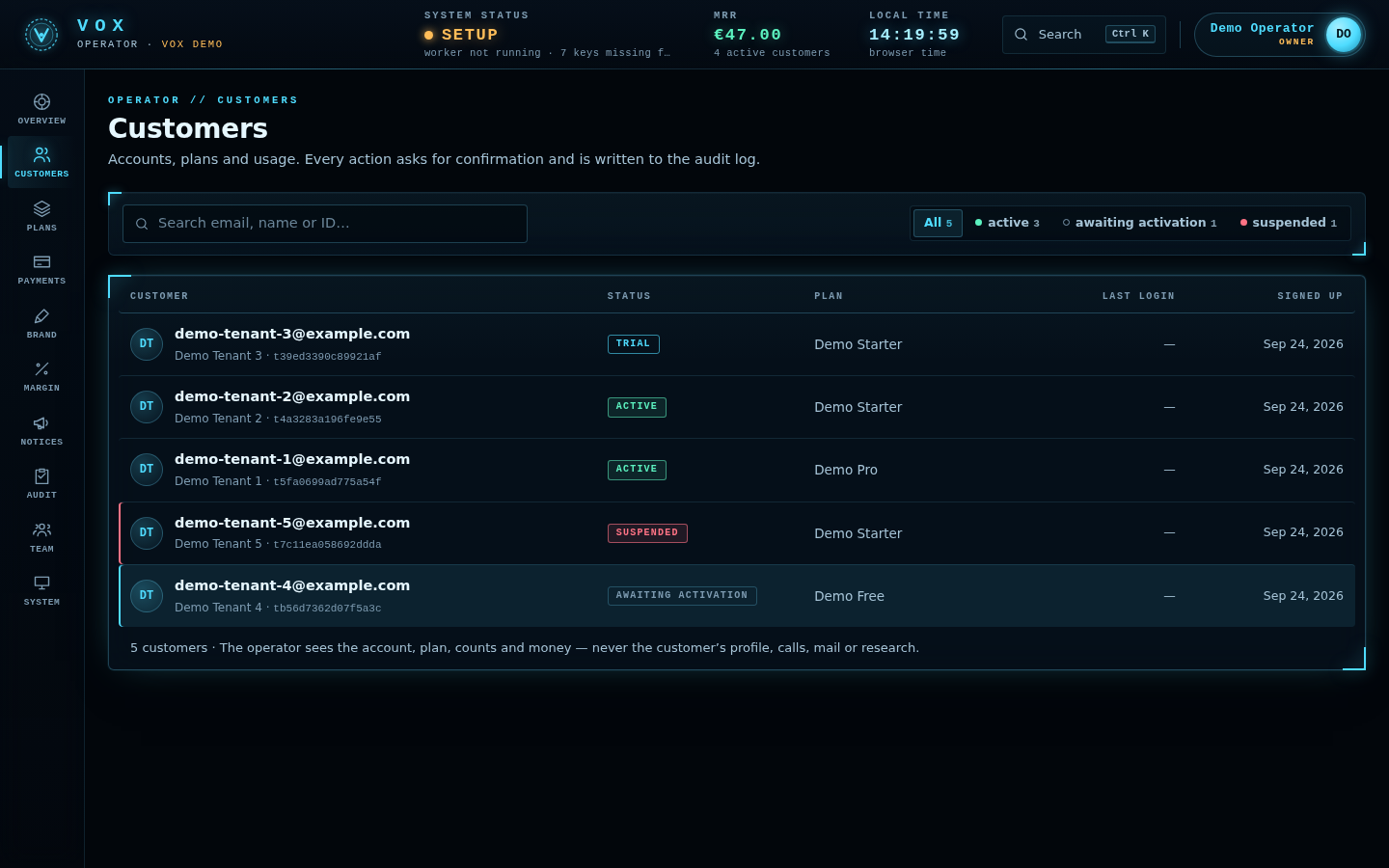
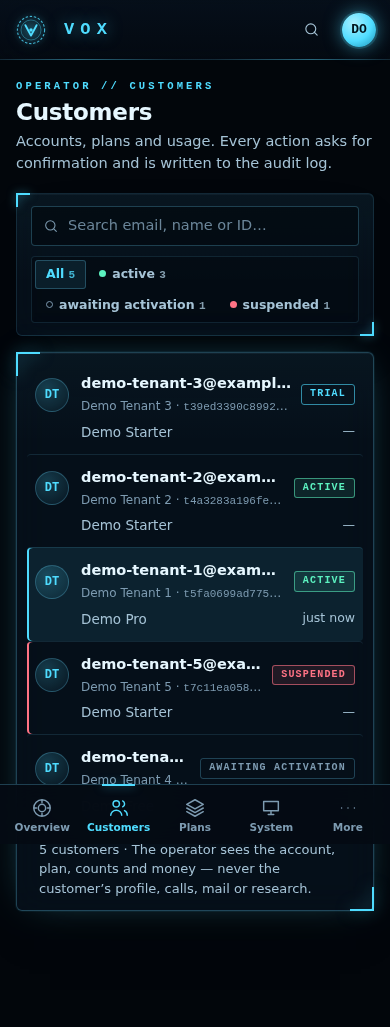
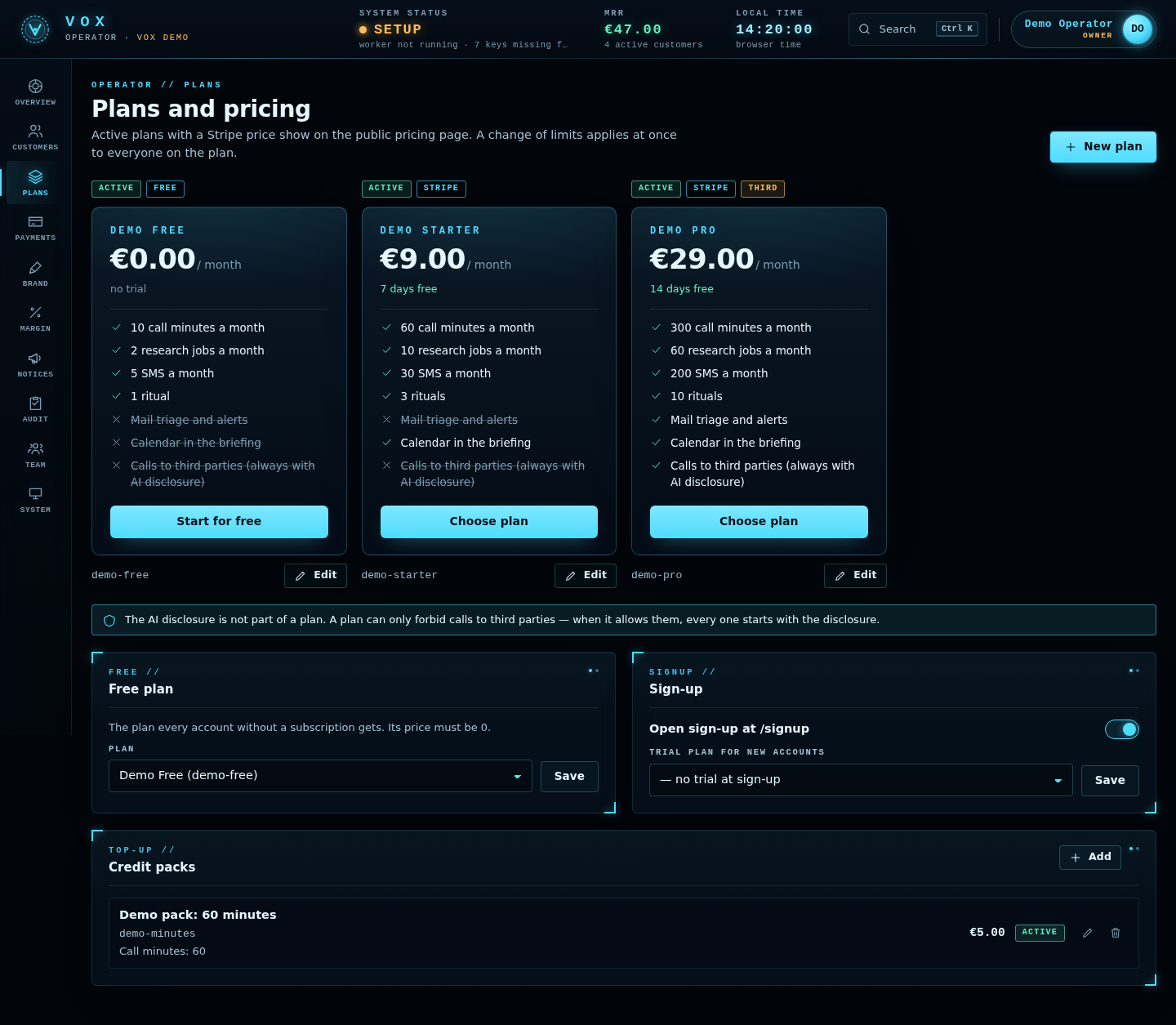




2. Requirements
| Item | Needed for | Notes |
|---|---|---|
| Linux server (or macOS for single-user) | everything | The Docker recipe uses host networking, which is a Linux feature. Docker Desktop on macOS/Windows is not verified. |
| Python 3.11+ | calls, console, SaaS | Dependencies pinned in
app/voice/requirements.txt (pipecat-ai 1.11.0, FastAPI, uvicorn, Google client, mcp). |
| Node.js 20+ | onboarding in the terminal, the briefing | One optional npm package,
@anthropic-ai/sdk, pinned in app/package-lock.json. |
| A public host name with HTTPS | calls, SaaS | Twilio connects to
wss://<host>/ws; a TLS reverse proxy (Caddy or nginx) is the only thing that faces
the internet. |
| Anthropic account | conversation, research, mail triage | API key. |
| ElevenLabs account | speech-to-text and text-to-speech | API key and a voice ID. |
| Twilio account with a phone number | calls, SMS, inbound calls | Voice-capable number. |
| Stripe account | SaaS billing (optional) | Without Stripe, plans can still be assigned by the operator. |
| SMTP server | SaaS e-mail verification and password reset (optional) | Without SMTP, new accounts wait for your activation. |
| Google Cloud OAuth client | Gmail / Calendar (optional) | "Desktop app" for single-user, "Web application" for SaaS. |
The package ships keyless. It contains no API key, token, password or credential of any kind, and never will. Supplying every key is an installation step, described in chapter 4.
3. Installation
All python -m voice … commands run from the app/ directory
with the virtual environment activated (bare metal), or inside the container (Docker).
3.1 Docker
One image with Python 3.11 and Node 20, no key inside. It runs as user vox (uid 10001) with a
read-only root file system; only app/data (the named volume vox-data) is writable.
cp deploy/vox.env.example deploy/vox.env && chmod 600 deploy/vox.env   # optional: keys can also go in the console
docker compose up -d --build
docker compose logs vox | grep "VOX admin"           # console URL with its token (single-user mode)
docker compose run --rm vox node src/run.js           # the 12 onboarding questions
docker compose run --rm vox python -m voice check     # what is missing — no network, no key
The compose file runs single-user mode (python -m voice up). For SaaS mode, replace the
service command and the health check, e.g. in a docker-compose.override.yml:
services:
  vox:
    command: ["python", "-m", "voice", "saas", "--host", "127.0.0.1", "--port", "8080",
              "--serve-host", "127.0.0.1", "--serve-port", "8765"]
    healthcheck:
      test: ["CMD", "python", "-c", "import urllib.request as u; u.build_opener(u.ProxyHandler({})).open('http://127.0.0.1:8080/api/csrf', timeout=4)"]
Then create the database and your operator account inside the same volume:
docker compose run --rm vox python -m voice saas migrate
docker compose run --rm vox python -m voice saas create-operator --email you@example.com --role owner
The SaaS override above is a recipe derived from the code; it has not been run as a container. The shipped compose file and its health check are for single-user mode (the health check opens the console on port 8766, which SaaS mode does not serve).
PC actions in Docker work on the container's files, not the user's computer. MCP servers over
stdio (uvx, npx) need tools the image does not contain; use HTTP MCP
servers or extend the image.
3.2 Bare metal
deploy/install.sh # options: --python python3.11 · --dev (also installs the test tools)The installer checks Python ≥ 3.11 and Node ≥ 20, installs @anthropic-ai/sdk from the
lock file (npm ci --omit=dev --ignore-scripts), creates app/.venv, installs
app/voice/requirements.txt, installs and verifies NLTK punkt_tab, runs
python -m voice check and prints the next steps. It never asks for, reads or stores a key.
Running it again is safe.
The same by hand:
cd app
python3 -m venv .venv
. .venv/bin/activate
pip install -r voice/requirements.txt
python -m voice setup-nltk                           # sentence-splitter data; without it the bot is silent
python -m voice check
setup-nltk options: --dir D (install elsewhere, then set NLTK_DATA
to that directory), --from-zip Z (offline, from a zip downloaded elsewhere; the zip is pinned by
SHA-256), --force.
Service units: deploy/systemd/mikodes-vox.service (server, system user vox, code in
/opt/mikodes-vox, keys in /etc/mikodes-vox/vox.env) and
deploy/systemd/mikodes-vox.user.service (your own Linux computer, so PC actions work on your files).
Both run python -m voice up; for SaaS mode change ExecStart to
python -m voice saas --host 127.0.0.1 --port 8080 --serve-host 127.0.0.1 --serve-port 8765.
The units passed systemd-analyze verify but have not run on a real server.
3.3 Single-user mode
- Answer the 12 questions:
node src/run.js(fromapp/). Options:--answers file.json(scripted),--no-speak. On macOS the briefing is spoken aloud; elsewhere it is printed. This step never calls anyone. - Start everything:
python -m voice up. It prints one line —VOX admin http://127.0.0.1:8766/#token=…— once the console really listens. - Open that URL, go to the setup section and enter the keys (chapter 4).
The media server starts only when all seven required keys and the NLTK data are present, so
restart
upafter entering them. - Verify your own number: Profile → verify number. VOX calls you (with the AI disclosure), reads a 6-digit code twice, and you type it in the console. Until then even a call to yourself is treated as a third-party call.
- Place the first call:
python -m voice dial --purpose "morning briefing", or the call section of the console.
Never expose the console to the internet — not behind a proxy, not
"for a minute". Whoever has its token can read the profile and transcripts and place calls. On a
remote server use an SSH tunnel: ssh -L 8766:127.0.0.1:8766 your-server.
3.4 SaaS mode
cd app && . .venv/bin/activate
python -m voice saas migrate                                     # create / upgrade data/saas/vox.db
python -m voice saas create-operator --email you@example.com --role owner
python -m voice saas --host 127.0.0.1 --port 8080 --serve-host 127.0.0.1 --serve-port 8765
One process serves the public site (/), each user's console (/app/) and the
operator panel (/op/) on port 8080, runs the multi-tenant worker, and starts the media server
on port 8765 when every required key is present. Ctrl+C stops everything. Put a TLS reverse
proxy in front (5.4) and continue with chapter 5.
Option of python -m voice saas | Default | Meaning |
|---|---|---|
--host | 127.0.0.1 | address of the web app; publish it through the proxy |
--port | 8080 | port of the web app |
--insecure-http | off | cookies without the Secure flag and no HSTS —
only for development on your own machine without HTTPS |
--no-worker | off | do not run the job worker |
--no-serve | off | never start the media server |
--serve-host / --serve-port | 0.0.0.0 / 8765 | media server
address; use 127.0.0.1 behind a proxy |
--interval / --mail-every | 5 s / 5 min | worker round and mail check interval |
--data-dir | app/data | the data directory (also for saas migrate and
saas create-operator); the environment variable VOX_DATA_DIR does the same.
Created with mode 0700 when missing |
By default SaaS mode uses the same data directory as single-user mode, app/data/; point it
elsewhere with --data-dir or VOX_DATA_DIR (for example
python -m voice saas migrate --data-dir /srv/vox-data — give the same directory to every
saas command). The database is <data>/saas/vox.db (0600) and each tenant lives in
<data>/tenants/<tenant_id>/, exactly the single-user layout. Do not run up and
saas on the same data directory at the same time.
3.5 Command reference
| Command | What it does | Exit codes |
|---|---|---|
python -m voice check | profile, own number, rings, disclosure sentence, barge-in settings, and every missing key at once — no network | 0 all set · 2 something missing |
python -m voice serve [--host 0.0.0.0] [--port 8765] | media server only | 2 missing keys |
python -m voice dial --purpose "…" [--to +…] [--ring self|third_party|cold] [--lang sk|en] |
places a call; without --to it calls the number in the profile |
0 Twilio accepted · 1 Twilio refused · 2 keys / bad number / cold |
python -m voice admin [--host 127.0.0.1] [--port 8766] | console only | — |
python -m voice worker [--once] [--interval 5] [--mail-every 5] | job worker only | 0 |
python -m voice up [--no-serve] [--port 8766] [--admin-host 127.0.0.1] [--serve-host 0.0.0.0] [--serve-port 8765] [--interval 5] [--mail-every 5] |
single-user mode: console + worker (+ media server) | 0 Ctrl+C · 1 a service stopped · 2 bad admin token |
python -m voice saas [options] | SaaS mode (3.4) | as up |
python -m voice saas migrate | applies every migration in app/voice/saas/migrations/ in name order | 0 · 2 migration error |
python -m voice saas create-operator --email E [--name N] [--role owner|staff] [--password-stdin] |
creates an operator account for /op/; the password is typed twice (or piped with
--password-stdin), never passed as an argument, never printed | 0 · 2 |
python -m voice mail-auth [--no-browser] | single-user: connect Gmail once (read-only) | 2 Google libraries missing |
python -m voice calendar-auth [--allow-create] [--no-browser] | single-user: connect Google Calendar once; read-only unless --allow-create | 2 Google libraries missing |
python -m voice setup-nltk [--dir D] [--from-zip Z] [--force] | installs NLTK punkt_tab | — |
serve, admin, worker, up and saas (with its
subcommands) also take --data-dir PATH (or VOX_DATA_DIR) to use another data
directory than app/data; the other commands work on app/data only and refuse the option.
The CLI's own help and messages are in English. --help works on every command.
4. Keys (first run)
4.1 Where keys live
- The console (single-user: the setup section; each key has a live test for Anthropic,
ElevenLabs, Twilio and Google) writes them to
app/data/secrets.env, mode 0600, git-ignored. The console never shows a key back, only its last four characters. - The process environment —
deploy/vox.envfor Docker (seedeploy/vox.env.example),EnvironmentFilefor systemd, or your shell. The environment wins over the file. The code does not read a.envfile by itself. - In SaaS mode every key is the operator's. Tenants never enter or see a key; setup
routes answer
403 OPERATOR_ONLYin a tenant's console.
The worker re-reads the file on every round; the media server and the console token are read at start, so restart after changing them. A key that ever reached git is leaked — replace it.
4.2 Required for calls
python -m voice check lists all missing ones at once and exits with code 2.
| Variable | Used for | Where to get it |
|---|---|---|
ANTHROPIC_API_KEY | the conversation (Claude), research, mail triage, the briefing | Anthropic Console → Settings → API Keys → Create Key. The key is shown once. Check that Billing has credit or a payment method. console.anthropic.com/settings/keys |
ELEVENLABS_API_KEY | speech-to-text and text-to-speech | ElevenLabs → Settings → API Keys → Create API Key. elevenlabs.io/app/settings/api-keys |
ELEVENLABS_VOICE_ID | the voice VOX speaks with | ElevenLabs → Voices → pick a voice that handles your language → "Copy voice ID". Listen to it on a real phone line first; 8 kHz telephone quality is not verified. elevenlabs.io/app/voice-library |
TWILIO_ACCOUNT_SID | telephony | Twilio Console → Account Info (starts with AC). console.twilio.com |
TWILIO_AUTH_TOKEN | telephony, webhook signatures, and hanging up when the disclosure fails | Twilio Console → Account Info → Show. |
TWILIO_FROM_NUMBER | the number VOX calls from | Twilio Console → Phone Numbers → Manage → Active numbers; a voice-capable number, in international
format (+…). |
VOX_PUBLIC_HOST | the public host Twilio reaches | Your domain, host name only — no https://, no path (a scheme and a trailing
/ are stripped). Twilio streams to wss://<VOX_PUBLIC_HOST>/ws and signs
webhooks over https://<VOX_PUBLIC_HOST><path>. |
4.3 Optional
| Variable | Used for | Where to get it |
|---|---|---|
VOX_ADMIN_TOKEN | a fixed console token (≥ 16 characters) instead of a new random one at every start. Recommended for Docker and systemd — otherwise the random token lands in the service log. | Any random string. |
GOOGLE_OAUTH_CLIENT_FILE | single-user: path to your Google OAuth client JSON of type Desktop app (Gmail read-only and Calendar) | Google Cloud Console: create a project, enable the Gmail API (and Calendar API), add yourself as a test
user on the OAuth consent screen, Credentials → Create credentials → OAuth client ID → "Desktop app" →
download JSON. Then run python -m voice mail-auth / calendar-auth.
console.cloud.google.com/apis/credentials |
TWILIO_WHATSAPP_FROM | send texts to the user via WhatsApp instead of SMS | Twilio Console → WhatsApp senders (or the sandbox for testing). Messages outside the 24-hour window need an approved template. |
VOX_CALL_PIN | 4–8 digits the owner types or says when calling VOX. Without it inbound calls are refused politely (caller ID can be spoofed). | Choose it. |
The file path settings must point to a regular file (not a symlink) of at most 64 KB inside the home directory or the VOX data directory.
4.4 SaaS keys
| Variable | Used for | Where to get it |
|---|---|---|
STRIPE_SECRET_KEY | Checkout, Customer Portal, cancelling a deleted tenant's subscription | Stripe Dashboard → Developers → API keys → Secret key (sk_live_…; sk_test_… for
test mode), or a restricted key with only the rights VOX uses.
dashboard.stripe.com/apikeys |
STRIPE_WEBHOOK_SECRET | verifying that webhook events really come from Stripe | The signing secret (whsec_…) of the webhook endpoint you create in 5.2. |
SMTP_HOST | verification and password-reset mail | Your mail provider or a transactional
mail service, e.g. smtp.example.com. VOX sends only encrypted. |
SMTP_PORT | SMTP port | 587 STARTTLS (default) or 465 TLS. Port 25 is not used. |
SMTP_USER / SMTP_PASSWORD | SMTP login | For a mailbox with two-factor sign-in, create an app password. |
SMTP_FROM | sender, e.g. VOX <noreply@example.com> | The domain should have SPF and DKIM, or mail lands in spam. |
TELEGRAM_BOT_TOKEN / TELEGRAM_WEBHOOK_SECRET | tenants' Telegram messages and commands, through your bot — never copied into a tenant's environment | @BotFather → /newbot; the secret is 16–256 of A-Z a-z 0-9 _ - you make up. See
5.7. |
GOOGLE_OAUTH_WEB_CLIENT_FILE | tenants connect their own Gmail and Calendar | See 5.6. Alternatively place the file at
data/saas/google_oauth_web_client.json. |
4.5 Other variables
| Variable | Where | Meaning |
|---|---|---|
VOX_SAAS_URL | process environment only (not accepted in secrets.env) |
SaaS: base URL for links in e-mails. If unset: the branding base URL, else
https://VOX_PUBLIC_HOST. |
VOX_ADMIN_PORT / VOX_MEDIA_PORT | Docker Compose variables | ports for the compose file (defaults 8766 / 8765) — not VOX settings. |
TELNYX_API_KEY / TELNYX_FROM_NUMBER | environment | only the terminal onboarding (node src/run.js) knows Telnyx, and only rehearses a call. Real calls are Twilio only. |
NLTK_DATA | environment | where NLTK finds punkt_tab if you installed it with setup-nltk --dir. |
5. SaaS setup
Order that works: database and operator → keys → reverse proxy → Stripe → plans → Twilio number → branding → Google OAuth → SMTP → open sign-up.
5.1 Database and operator account
python -m voice saas migrate
python -m voice saas create-operator --email you@example.com --role ownermigrateprints the database path, the migrations applied now and all applied migrations. Running it again is safe.saasandcreate-operatoralso migrate on start.- Roles:
owner(everything) andstaff(accounts, announcements, audit and system status only — no plans, money settings, team or sign-up changes, no exports and no deletions). Add more operators later in the panel (team). - Enable TOTP two-factor sign-in for every operator in the panel (RFC 6238 authenticator app).
- Passwords: at least 10 characters, checked against a list of common passwords, stored with scrypt.
Five failed logins per 15 minutes per e-mail or IP answer
429.
5.2 Stripe: products, prices, plans, webhook, Customer Portal
Products and prices → plans
- In Stripe create a Product per plan with a recurring Price (monthly or
yearly). Copy the price ID (
price_…). - In the operator panel → Plans, create the matching plan: id, name, price, currency, interval
(
monthoryear), trial days, and the Stripe price ID. The limits are:call_minutes,research_jobs,sms,rituals(a number, or unlimited) and the switchesmail_triage,calendar,third_party_calls. - Optionally mark a price-0 plan as the free plan (what a tenant without a subscription gets), define prepaid credit packs (one-time Checkout; the amount is set in VOX, no Stripe price needed), a markup per cost component, and an exchange rate so margins in USD can be computed.
A tenant's plan follows only verified webhooks, mapped from the subscription's price ID
through your plans. A price that no plan carries shows up as "unmapped" on the Stripe page of the panel.
Subscription state: active/trialing → the plan; past_due → the plan for a
3-day grace period; canceled/unpaid → the free plan (or no limits at all).
Webhook
Stripe Dashboard → Developers → Webhooks → Add endpoint:
- URL:
https://<your host>/stripe/webhook— the Stripe page of the operator panel shows the exact URL (from the branding base URL, elsehttps://VOX_PUBLIC_HOST). - Events to select (exactly the ones VOX handles):
checkout.session.completed,checkout.session.async_payment_succeeded,customer.subscription.created,customer.subscription.updated,customer.subscription.deleted,invoice.paid,invoice.payment_failed. - Copy the endpoint's signing secret into
STRIPE_WEBHOOK_SECRET.
Every event is checked on the raw body (Stripe-Signature, HMAC-SHA256, 5-minute tolerance),
processed at most once per event ID, and bodies over 1 MB are refused. Failed deliveries are listed on the
Stripe page of the panel. VOX pins Stripe API version 2024-06-20 for its own requests.
Customer Portal
Tenants manage their subscription (payment method, cancel, switch plan) in Stripe's Customer Portal, opened from the subscription view of their console. Configure and save the portal once in the Stripe Dashboard (Settings → Billing → Customer portal) — VOX creates portal sessions with your default configuration. If you allow plan switching there, offer only prices that are mapped to a VOX plan.
5.3 Branding and a custom domain
Operator panel → Brand: product name, assistant name, logo (PNG/JPEG/WebP ≤ 512 KB, re-encoded), two
accent colours (contrast-checked), support e-mail, legal texts (company, address, terms URL, privacy URL),
default language and the base URL of your site. The AI disclosure cannot be branded,
renamed or edited — a branding field that tries is refused (DISCLOSURE_NOT_BRANDABLE).
A custom domain is your reverse proxy plus DNS. Use one host name for everything and set
VOX_PUBLIC_HOST to it: Twilio webhooks and the Google OAuth redirect are built from
VOX_PUBLIC_HOST, while Checkout return URLs and the webhook URL use the branding base URL. With one
host, all of them agree and the login cookie is present when Google redirects back.
Other operator settings: sign-up on/off, and a plan whose trial new sign-ups start automatically.
5.4 Reverse proxy (Caddy or nginx)
The files in deploy/ (Caddyfile.example, nginx-vox.conf.example) are written
for single-user mode: they forward only the media server's routes and answer 404 to everything else. For SaaS
mode forward the media routes plus /call/status to port 8765, and everything else
to the web app on port 8080. Paths must reach VOX unchanged — Twilio signs over the exact URL.
| Path | To | Called by |
|---|---|---|
/ws (WebSocket) | 8765 | Twilio media stream of a call |
/voice, /voice/pin | 8765 | inbound call, PIN entry |
/sms, /sms/status | 8765 | inbound SMS/WhatsApp, delivery status |
/call/status | 8765 | Twilio call status callback (billing of call minutes) |
everything else (/, /app/, /op/, /api/, /stripe/webhook, …) | 8080 | browsers, Stripe |
Caddy (automatic HTTPS)
vox.example.com {
	@media path /ws /sms /sms/status /voice /voice/pin /call/status
	handle @media {
		request_body {
			max_size 64KB
		}
		reverse_proxy 127.0.0.1:8765
	}
	handle {
		request_body {
			max_size 2MB
		}
		reverse_proxy 127.0.0.1:8080
	}
}
nginx
map $http_upgrade $vox_connection_upgrade {
    default upgrade;
    ''      close;
}
server {
    listen 443 ssl;
    server_name vox.example.com;
    ssl_certificate     /etc/letsencrypt/live/vox.example.com/fullchain.pem;
    ssl_certificate_key /etc/letsencrypt/live/vox.example.com/privkey.pem;
    server_tokens off;

    location = /ws {
        proxy_pass http://127.0.0.1:8765;
        proxy_http_version 1.1;
        proxy_set_header Upgrade $http_upgrade;
        proxy_set_header Connection $vox_connection_upgrade;
        proxy_set_header Host $host;
        proxy_read_timeout 3600s;
        proxy_buffering off;
    }
    location ~ ^/(sms|sms/status|voice|voice/pin|call/status)$ {
        client_max_body_size 64k;
        proxy_pass http://127.0.0.1:8765;
        proxy_set_header Host $host;
    }
    location / {
        client_max_body_size 2m;
        proxy_pass http://127.0.0.1:8080;
        proxy_set_header Host $host;
    }
}
Plus the usual port-80 server for the ACME challenge and the redirect to HTTPS, as in
deploy/nginx-vox.conf.example. The 2 MB limit covers a logo upload (≤ 512 KB) and Stripe webhooks
(≤ 1 MB).
These SaaS proxy blocks are derived from the routes in the code and from the single-user
examples, which were validated locally (caddy validate, nginx -t, WebSocket upgrade,
403 on unsigned webhooks). The SaaS variants themselves have not been run.
The web app sets a strict Content-Security-Policy, HSTS (unless --insecure-http) and
no-store on API answers by itself. It serves no third-party scripts, fonts or trackers.
5.5 The Twilio number: voice and SMS webhooks
Twilio Console → Phone Numbers → your number:
| Setting | Value | Method |
|---|---|---|
| Voice — "A call comes in" | https://<host>/voice | HTTP POST |
| Voice — "Call status changes" | https://<host>/call/status | HTTP POST |
| Messaging — "A message comes in" | https://<host>/sms | HTTP POST |
/call/statusis required for billing inbound minutes. Calls VOX places attach this status callback to each dial automatically; a call a tenant makes to the number is billed only if the number itself has the status callback set. Only the finalcompletedstatus with itsCallDurationis recorded, once per call, into that tenant's usage ledger./sms/status(delivery reports) and/voice/pin(PIN entry) are set by VOX per message / per call — nothing to configure.- Every webhook must carry a valid
X-Twilio-Signatureforhttps://VOX_PUBLIC_HOST<path>and your Account SID; anything else gets403. - In SaaS mode one number serves all tenants. An inbound call or SMS belongs to the tenant who
verified the sending number (a number can be verified by one tenant only —
409 NUMBER_IN_USE). Unknown senders hear one polite sentence and the call ends; there is never an AI conversation with a stranger. Each tenant sets their own inbound PIN. - Trial Twilio accounts only call verified numbers; the destination country must be enabled in Voice geographic permissions.
5.6 Google OAuth web client (tenants' Gmail and Calendar)
- Google Cloud Console: enable the Gmail API and the Google Calendar API.
- Credentials → Create credentials → OAuth client ID → type Web application.
- Authorized redirect URI:
https://<VOX_PUBLIC_HOST>/app/oauth/google/callback. - Download the JSON (it must contain a
"web"section) and either setGOOGLE_OAUTH_WEB_CLIENT_FILEto its path (inside the home or data directory, a regular file ≤ 64 KB) or place it atdata/saas/google_oauth_web_client.json. - Until Google verifies your app, add your users as test users on the OAuth consent screen.
Tenants connect from their console (/app/oauth/google/start). Scopes are exactly
gmail.readonly, calendar.readonly, and calendar.events only when a tenant
allows creating events. The state is bound to the session, single-use and valid for 10 minutes; PKCE is used.
A plan without mail_triage / calendar cannot start the flow. Tokens are stored in the
tenant's directory (0600).
5.7 E-mail (SMTP)
With SMTP_HOST, SMTP_PORT, SMTP_USER, SMTP_PASSWORD and
SMTP_FROM set, sign-up sends a verification link (valid 48 hours) and "forgot password" sends a
reset link (30 minutes). Without SMTP, new accounts stay pending until you activate them
in the panel, and you create reset links for users from the panel.
Tenants' Telegram and e-mail. The same SMTP server — and, with TELEGRAM_BOT_TOKEN,
TELEGRAM_WEBHOOK_SECRET and VOX_PUBLIC_HOST, your Telegram bot — also carry tenants'
automatic messages, only ever to each tenant's own verified address or chat. Press System → Customer
channels → Point the bot at this server once. Every message counts towards the plan's
Telegram / e-mail messages limit (a plan saved before that limit existed has 0). Tenants see only whether
the channel is set up — never your keys.
5.8 Running the service
- Accounts: search, activate, suspend (the console answers 403, the worker skips the tenant, the media server refuses its calls), change plan, grant credits, export, delete.
- Privacy by default: the operator panel shows accounts, plans, usage counts and money — never profiles, transcripts, mail or research content.
- Quotas are checked before every dial, research job, SMS and ritual; exhausted →
402 QUOTA_EXCEEDED. A call does not start without minutes for the disclosure plus 60 seconds; when minutes run out during a call the assistant says one fixed sentence and hangs up — after the disclosure, never during it. - Analytics (MRR, churn, ARPU, provider cost, revenue, margin) are computed only from recorded
rows — webhooks and the usage ledger. Provider cost is an estimate from the per-minute model in
app/voice/costs.py; what the panel cannot know it shows as "—". - Announcements appear in every tenant's console.
- Tenants' consoles are the single-user console without operator-only functions: no key setup, no barge-in tuning, no MCP registry changes and no PC actions (a hosted server never touches its own files on a tenant's behalf).
6. Legal and compliance
You, the operator, are responsible for the calls your install places. This chapter describes what the code enforces; it is not legal advice. Rules for calls to third parties in your markets are not verified by MIKODES — check them before you allow third-party calls to your users.
6.1 The three call rings
| Ring | When | What the callee hears | Status |
|---|---|---|---|
self | a call to the user's own verified number | the assistant directly | ships |
third_party | any other number | the AI disclosure first, then anything else | ships only with the disclosure |
cold | campaign / cold dialling | nothing: RING_FORBIDDEN, before any network access | never |
The ring is derived, not declared: self only when the dialled number is exactly the
verified own number; a typo, a placeholder or a number found in an e-mail is third_party. The media
server recomputes the ring from the saved call plan when the stream connects and never takes it from the
network. Uncertainty always falls towards the disclosure. Third-party callers get no tools: nothing a stranger
says becomes an action. The rings are the same for every SaaS tenant; a plan may forbid third-party calls
(403 PLAN_FORBIDS_THIRD), never the disclosure.
6.2 EU AI Act article 50 — the disclosure is not configurable
From 2 August 2026 a person must be told, audibly and at the start, that they are talking to AI. Fines reach
€15 million or 3 % of worldwide turnover. Every third_party call begins with, verbatim:
- sk: "Dobrý deň, volám vám ako automatický hlasový asistent. Tento hovor vedie umelá inteligencia."
- en: "Hello. I am an automated AI voice assistant. This call is conducted by artificial intelligence."
- The callee is muted and barge-in is off while it plays; the model does not speak until it has finished.
- "Finished" is measured on audio actually sent (at least 0.25 s per word), not on time.
- An error before the end, or no finish within 20 s (adjustable 8–30 s), hangs up the call.
- Neither the text nor the minimum length is a setting — not in the console, a file, a variable, a plan or the branding. A call is only placed in a language for which a disclosure exists.
If you ever find a code path that disables the disclosure, it is a bug. Report it and do not use it. Open risk: if ElevenLabs does not mark the end of the disclosure audio on a live line, every third-party call would hang up after the disclosure (safe, but unusable) — not verified live.
6.3 US TCPA
Since the FCC declaratory ruling of February 2024, AI-generated voices are "artificial" under the TCPA: statutory damages of $500–1,500 per call, with no aggregate cap. California AB 2905 adds an AI disclosure duty for autodialled calls. Calling users on their own verified number with their consent is the product; anything else is your legal responsibility.
6.4 No cold calls
Campaign or cold dialling is not implemented and never will be. --ring cold ends with
RING_FORBIDDEN and exit code 2 before the network is touched. There is no bulk dialler, no list import
and no function that takes a list of recipients. SMS and WhatsApp go only to the user's own verified number — no
function has a recipient parameter. Automated calls are limited to 3 per hour, texts to 6 per hour and 30 per day.
6.5 GDPR: export and delete
| Who | Export | Delete |
|---|---|---|
| Single-user | console → Data: a zip of the user's data without keys, tokens or call secrets
(POST /api/data/export) | console → Data, confirmed by typing DELETE EVERYTHING
(POST /api/data/delete); one fact, one call or all inferred facts can be deleted individually |
| SaaS tenant (self-service) | the same data export inside their console | account view: password plus
the phrase DELETE ACCOUNT (POST /api/account/delete) |
| SaaS operator | panel → account → export (POST /op/api/accounts/{tenant_id}/export), same
redaction, owner role, audited | panel → account → delete, confirmed with DELETE <email>
(DELETE /op/api/accounts/{tenant_id}), owner role, audited; cancels the Stripe subscription when a
key is set |
Deletion is refused during a live call or a running job. Deleted is deleted: there is no backup unless you make one. Inferred profile facts are always marked as inferred and can be removed with one click.
6.6 NLTK punkt_tab — needs legal review
pipecat splits the model's text into sentences with NLTK's punkt_tab data; without it the bot is
silent after the disclosure. VOX downloads it on your machine (python -m voice setup-nltk, zip pinned
by SHA-256) — it is not in this package. The nltk_data repository is Apache-2.0 at repository level, but
punkt_tab has no licence statement of its own and its English model was trained on Wall Street Journal
text from the Penn Treebank (LDC), a corpus under its own licence. Whether that model may be used commercially is
not established — have it reviewed before you sell a service built on it. A Docker image you build
contains it.
6.7 LGPL dependencies installed by pip
All direct dependencies are MIT, BSD or Apache-2.0, and no GPL or AGPL code is part of VOX. Three
transitive components are LGPL-2.1: soxr and num2words
(required by pipecat) and libsndfile (bundled inside the soundfile wheel). pip installs them
on your machine; they are never copied into this package, and must not be vendored into it. If you
distribute a built image, the LGPL notices must travel with it.
7. Updating and migrations
- Back up
app/data/(Docker: thevox-datavolume). It holds the database, every tenant, andsecrets.env— protect the backup like the keys. - Replace the code with the new release; keep
app/data/,deploy/vox.envand your proxy configuration. pip install -r voice/requirements.txt(ordeploy/install.sh; Docker:docker compose up -d --build).- SaaS:
python -m voice saas migrate. Migrations are Python modules inapp/voice/saas/migrations/, applied in name order and recorded in the database; each runs once. - Restart the service and run
python -m voice check.
The version is in app/voice/VERSION; the changes in CHANGELOG.md. pipecat-ai is
pinned — a new pipecat version should only be adopted after testing barge-in and the disclosure on a live line.
8. Troubleshooting
| Symptom | Cause | Fix |
|---|---|---|
check, serve or dial exits with code 2 and lists settings | keys missing | Set every listed key; .env is not loaded automatically. |
Media server does not start in up / saas | a required key or the NLTK data is missing | Read the start-up notes; python -m voice setup-nltk; restart after adding keys. |
| Phone rings, silence after answering, call drops | the stream never reached the server | Media server not running, wrong VOX_PUBLIC_HOST, TLS broken, or the proxy does not upgrade /ws. |
Call connects and hangs up at once; log: stream for a call this server did not place |
no call plan found | dial and the server must share one data directory. Calls started from the Twilio console are ignored on purpose. |
Third-party call ends right after the start; log: disclosure failed, hanging up |
the disclosure did not play fully | Check the ElevenLabs key and voice. The call never continues without it — by design. |
Bot silent after the disclosure; LookupError / punkt_tab in the log | NLTK data missing | python -m voice setup-nltk |
A call to your own number runs as third_party | number not verified (or changed) | Verify it in the console. Intended behaviour. |
Twilio refused the call (401) | wrong SID or token | Check TWILIO_ACCOUNT_SID / TWILIO_AUTH_TOKEN. |
| Webhooks answer 403 | signature does not match | The proxy must not rewrite paths or the host; VOX_PUBLIC_HOST must equal the public host name. |
Console: 403 BAD_HOST | browser used another host name | Open exactly the printed URL (127.0.0.1 / localhost). |
up ends with "port already in use" and VOX stopped. | port 8766 in use | Stop the other process or use --port. |
| SaaS: login works on http but not behind the proxy, or cookies are dropped locally | session cookies are Secure |
Serve through HTTPS. --insecure-http only for local development. |
| SaaS: new users cannot log in | no SMTP, accounts are pending | Activate them in the panel, or configure SMTP. |
SaaS: STRIPE_NOT_CONFIGURED | Stripe keys missing | Set STRIPE_SECRET_KEY and STRIPE_WEBHOOK_SECRET. |
SaaS: PLAN_NOT_PURCHASABLE | plan has no Stripe price ID | Add the price_… ID to the plan. |
| SaaS: paid but the plan did not change | webhook not delivered, or price not mapped | Check the Stripe page of the panel (failed deliveries, unmapped price IDs) and the endpoint in Stripe. |
| SaaS: inbound call minutes are not billed | number's status callback not set | Set "Call status changes" to https://<host>/call/status (5.5). |
SaaS: Google connect fails with OAUTH_NOT_CONFIGURED | no web client or no VOX_PUBLIC_HOST |
5.6. |
SaaS: NUMBER_IN_USE when verifying | another tenant verified that number | A number belongs to one tenant only. |
9. FAQ
Does it work without any key?
The onboarding, profile and briefing run keyless (the briefing then uses a deterministic composer instead of
Claude). python -m voice check runs keyless. Calls, research and mail triage need keys.
Has it been tested on real calls?
No. Everything is tested offline in the real pipecat pipeline with fake services. Barge-in timing values are defaults, not measurements, and speech quality over an 8 kHz line (English or Slovak) is unverified.
Can I turn off the AI disclosure, or change its text?
No. It is not a setting and must not become one (6.2).
Can VOX call lists of people?
No, never (6.4).
Is there an English user interface?
Yes. The console, public site, operator panel, CLI and documentation are English. Calls speak English by default; Slovak is available as an optional call language.
Which telephony providers are supported?
Twilio. Telnyx is known only to the terminal onboarding, which only rehearses a call.
Can the SaaS operator read users' transcripts?
Not through the panel. The data is on your server, so treat it under your privacy policy.
Does it contact MIKODES?
No licence check, no phone-home, no telemetry.
Can I try it with sample data?
python scripts/make_demo.py /path/to/new-dir builds a clearly labelled DEMO data directory (demo
operator, "Demo Tenant 1…5", demo plans, signed demo Stripe events) without touching the network. It refuses
app/data and any non-empty directory. Never serve a demo directory publicly — its passwords are
printed.
10. Credits and licences
VOX itself is proprietary (see LICENSE). Third-party components keep their own licences and are
installed by pip / npm / Docker on your machine, not bundled. Full record: SOURCES.md.
| Component | Licence | Role |
|---|---|---|
| pipecat-ai 1.11.0 (+ Silero VAD) | BSD-2-Clause (Silero VAD: MIT) | voice pipeline, barge-in |
| anthropic (Python SDK), @anthropic-ai/sdk 0.128.0 | MIT | Claude API |
| FastAPI / uvicorn | MIT / BSD-3-Clause | web servers |
| google-api-python-client, google-auth, google-auth-oauthlib, google-auth-httplib2 | Apache-2.0 | Gmail, Calendar |
| mcp, mcp-types 2.2.0 | MIT | MCP servers |
| nltk | Apache-2.0 | sentence splitting (data: 6.6) |
| soxr, num2words, libsndfile (in soundfile) | LGPL-2.1 (transitive) | 6.7 |
| numpy, onnxruntime, Pillow, regex, tqdm, certifi … | BSD / MIT / MIT-CMU / Apache / MPL-2.0 | transitive; listed in SOURCES.md |
| Caddy, nginx | Apache-2.0, BSD-2-Clause | referenced by the example configs only |
No GPL or AGPL component is part of VOX. Note: OHF-Voice/piper1-gpl is GPL-3.0 — if you ever add
local TTS, use the original MIT rhasspy/piper.
11. Changelog
2.0.0 — 2026-09-24
The first numbered version.
- SaaS mode (
python -m voice saas,saas migrate,saas create-operator): public site with sign-up, per-tenant console at/app/, operator panel at/op/, accounts with scrypt, sessions and CSRF, operator TOTP, plans and quotas, usage ledger, credit packs, Stripe Checkout, Customer Portal and a signed idempotent webhook, analytics from recorded rows only, branding, tenant web OAuth for Gmail and Calendar, a multi-tenant worker and media server, and call minutes billed from Twilio's status callback. - Unchanged: the three call rings and the non-configurable AI disclosure, for every tenant. Single-user mode runs as before.
- Still unverified on live services: calls, SMS, Stripe payments, Google sign-in, research.
Earlier development (phases 1–2 and waves 1–5, unnumbered) is listed commit by commit in CHANGELOG.md.
12. Support
Included: installation as described here (Docker, installer, systemd, proxy); bugs in the VOX code, fixed in a following release; questions about the safety rules and call rings.
Not included: accounts and billing with Anthropic, ElevenLabs, Twilio, Stripe or Google; custom work, other telephony providers or languages; legal advice on third-party calls; tuning barge-in on your specific line; third-party MCP servers and their licences.
When asking for help, include the output of python -m voice check and the relevant log lines
(data/logs/vox.log is scrubbed of keys). Never send your keys — nobody from support
will ask for them.
Support contact: [to be filled in by the author before publication]