
Earnings
plans, Stripe, margin.
How a VOX service takes money: subscription plans through Stripe, prepaid credit packs, and a markup you can measure against provider costs. Everything here is SaaS mode. Single-user mode has no billing.
01How money comes in
| Mechanism | Where | Status |
|---|---|---|
| Subscription plans (monthly or yearly, optional trial) | Plans + Stripe Checkout | Built; tested with fake Stripe events only |
| Prepaid credit packs (one-time Checkout) | Plans | Built; tested offline |
| Plans assigned by hand | Customers → change plan | Works without Stripe |
| Markup per cost component | Margin | Analytics only; it does not change what Stripe charges |
No real Stripe payment has been made from this code base. Do the whole setup in Stripe test mode first and buy a plan with a test card before you go live.
02Plans
- Create the product in StripeOne Product per plan with a recurring Price (monthly or yearly). Copy the price ID (
price_…). - Create the plan in VOXOperator panel → Plans: id, name, price, currency, interval (month or year), trial days and the Stripe price ID.
- Set the limits
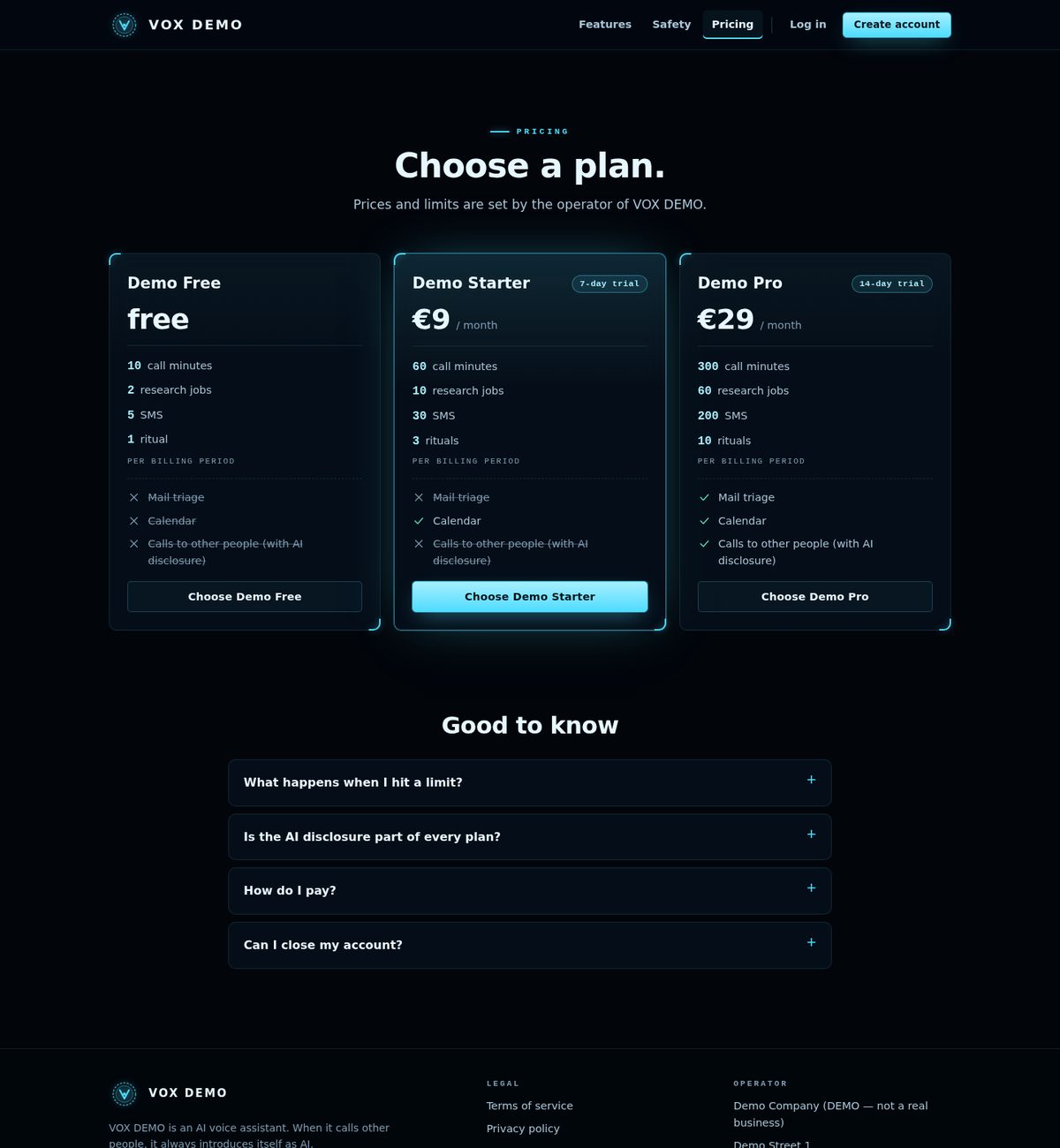
call_minutes,research_jobs,sms,rituals, Telegram / e-mail messages (a number, or unlimited), and the switchesmail_triage,calendar,third_party_calls.
- Free plan: optionally mark a price-0 plan as what a customer without a subscription gets.
- Trial for new sign-ups: on the Plans page, choose a plan whose trial every new account starts automatically (once per account), and switch sign-up on or off.
- Credit packs: prepaid packs bought with a one-time Checkout. The amount is set in VOX; no Stripe price is needed.
| Subscription state in Stripe | What the customer gets |
|---|---|
active, trialing | the plan |
past_due | the plan for a 3-day grace period |
canceled, unpaid | the free plan (or no limits at all if none is set) |
A customer's plan follows only verified webhooks, mapped from the subscription's price ID through your plans. A price no plan carries shows as "unmapped" on the Payments page.
03Connect Stripe
- Secret keyStripe Dashboard → Developers → API keys → Secret key into
STRIPE_SECRET_KEY(sk_test_…first). - WebhookDevelopers → Webhooks → Add endpoint. URL:
https://<your host>/stripe/webhook. The Payments page of the operator panel shows the exact URL. - EventsSelect exactly:
checkout.session.completed,checkout.session.async_payment_succeeded,customer.subscription.created,customer.subscription.updated,customer.subscription.deleted,invoice.paid,invoice.payment_failed. - Signing secretCopy the endpoint's
whsec_…intoSTRIPE_WEBHOOK_SECRET. - Customer PortalSettings → Billing → Customer portal: configure and save it once. VOX opens portal sessions with your default configuration. If you allow plan switching there, offer only prices that are mapped to a VOX plan.
- RestartRestart
python -m voice saas, then buy a plan with a test card from a test customer account.
Every event is checked on the raw body (Stripe-Signature, HMAC-SHA256, 5-minute tolerance), processed at most once per event ID, and bodies over 1 MB are refused. VOX pins Stripe API version 2024-06-20 for its own requests.
04Margin and costs
Operator panel → Margin: set a markup in percent per cost component (speech synthesis, speech recognition, language model, telephony, SMS, research, other) and the rate that converts revenue to dollars. Settings change nothing retroactively. Revenue comes from verified webhooks; provider costs are estimated per call from app/voice/costs.py. With local Piper or whisper.cpp the console prices that component at 0; the SaaS usage ledger still uses the paid rates.
Inbound call minutes are billed only when the Twilio number has its status callback set to /call/status (Deployment).
05What customers see
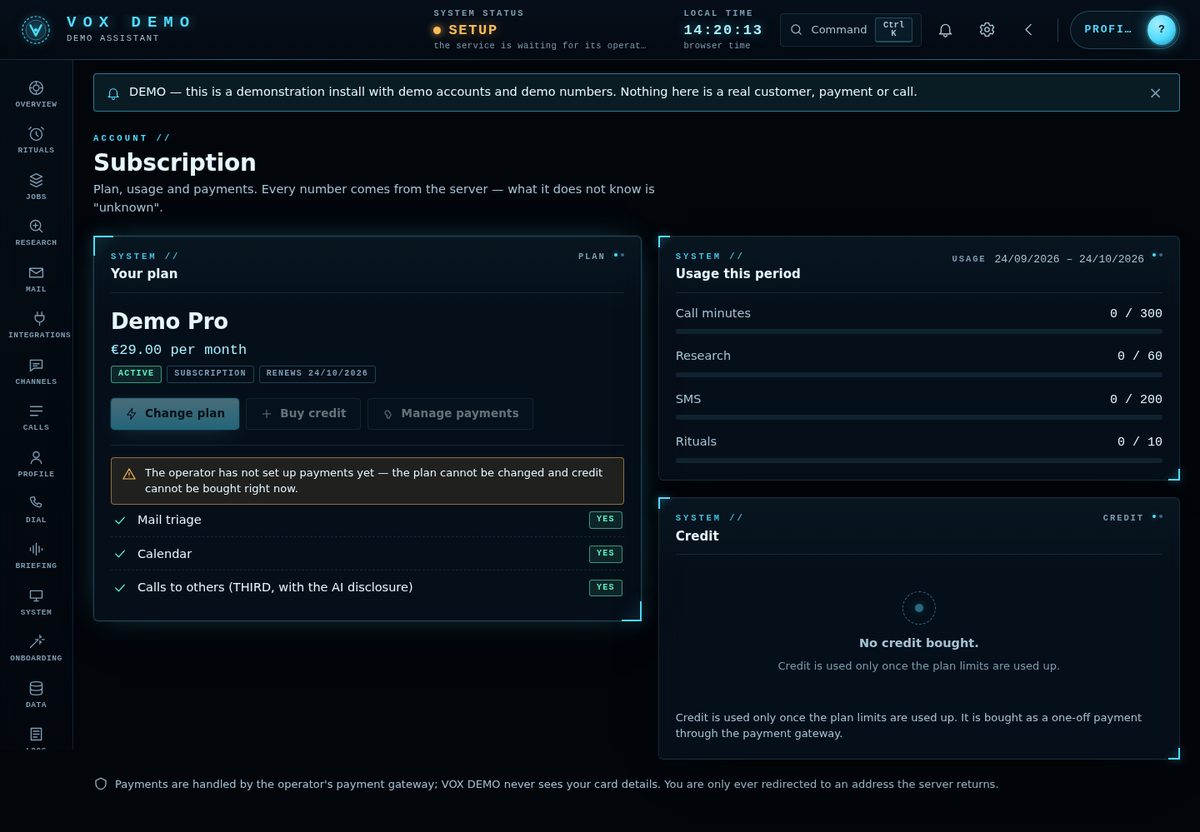
The public site shows your plans on /pricing, sign-up with a chosen plan, and in each console a Subscription view that opens Stripe Checkout or the Customer Portal.
Plans, prices and markups are yours to set. Check what each call really costs you with your providers before you decide.