
Operator panel
run the service.
In SaaS mode you run VOX as a subscription service. The operator panel at /op/ is your control centre. This page follows its sidebar, then covers the setup outside the panel. Screenshots come from the labelled demo data directory.
01Setup order that works
- Database and operator (Installation).
- Keys (Configuration).
- Reverse proxy (Deployment).
- Stripe and plans (Earnings).
- Twilio number (Deployment).
- Brand (Rebranding).
- Google OAuth and SMTP (below).
- Open sign-up.
02Operators, roles and sign-in
| Role | Can do |
|---|---|
owner | Everything. |
staff | Accounts, announcements, audit and system status only. No plans, money settings, team or sign-up changes, no exports and no deletions. |
Create the first owner with python -m voice saas create-operator --email you@example.com --role owner; add more in Team. Enable TOTP two-factor sign-in (RFC 6238 authenticator app) for every operator. Passwords: at least 10 characters, checked against a list of common passwords, stored with scrypt. Five failed logins per 15 minutes per e-mail or IP answer 429.
03Overview
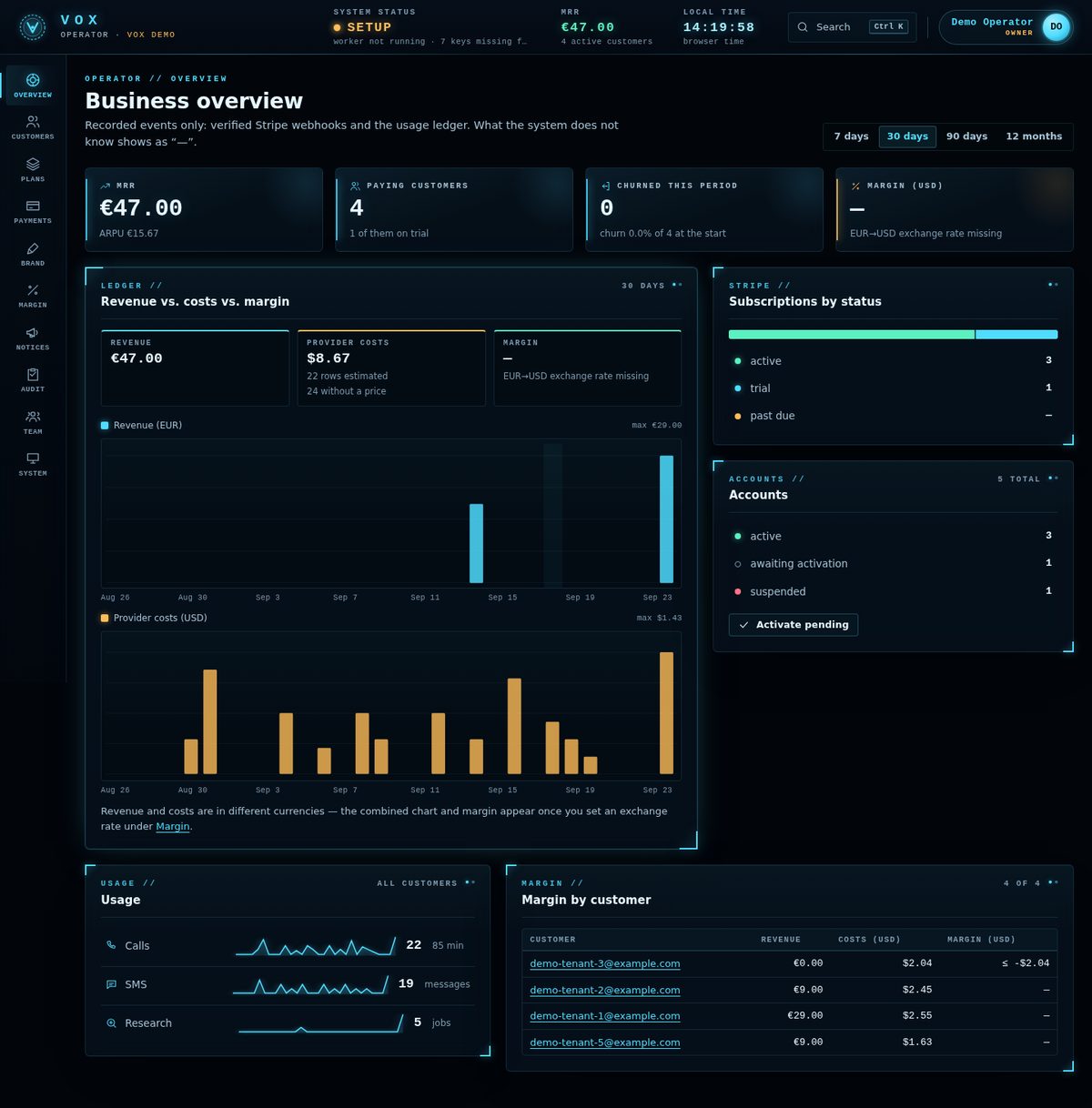
MRR, paying customers, churn and margin for 7 days, 30 days, 90 days or 12 months; revenue vs provider costs; subscriptions by status; accounts by status with Activate pending; usage (calls, SMS, research) and margin per customer.
Analytics are computed only from recorded rows: verified Stripe webhooks and the usage ledger. Provider cost is an estimate from app/voice/costs.py. What the panel cannot know it shows as "—".
04Customers
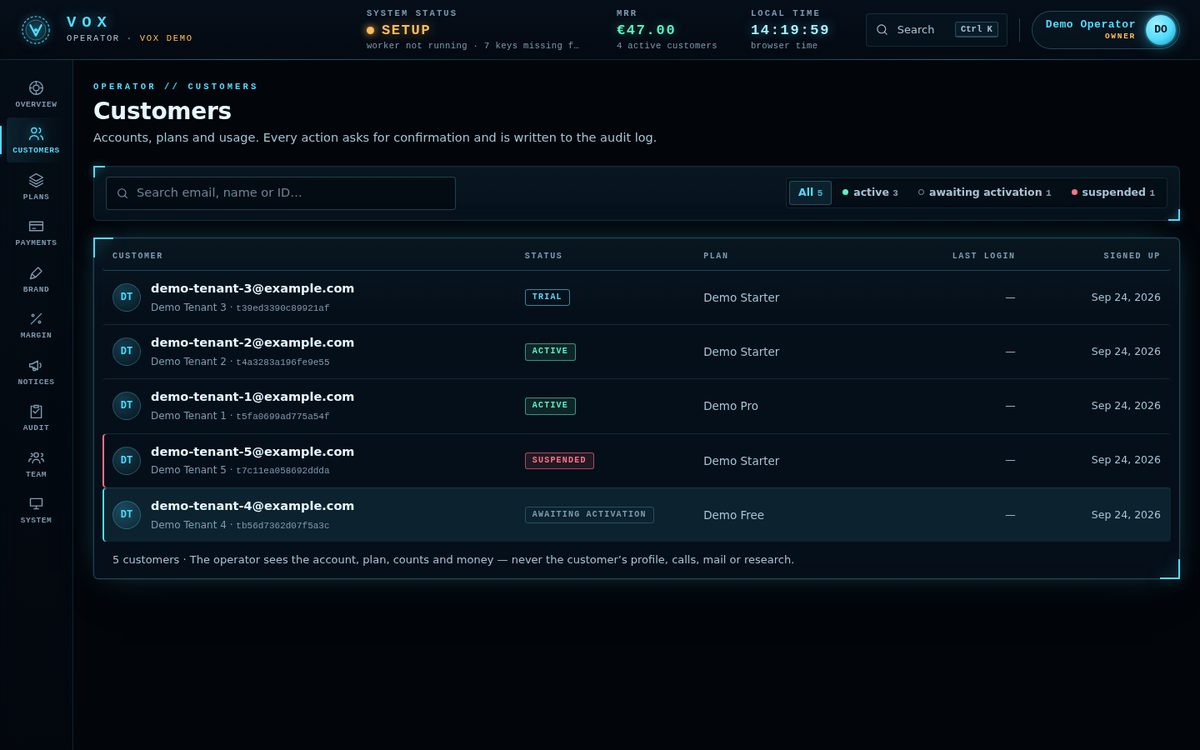
Search, activate, suspend (the console answers 403, the worker skips the customer, the media server refuses their calls), change plan, grant credits, export and delete. Export and delete are owner-only and audited; delete is confirmed with DELETE <email> and cancels the Stripe subscription when a key is set.
Privacy by default: the panel shows accounts, plans, usage counts and money, never profiles, transcripts, mail or research content.
05Plans
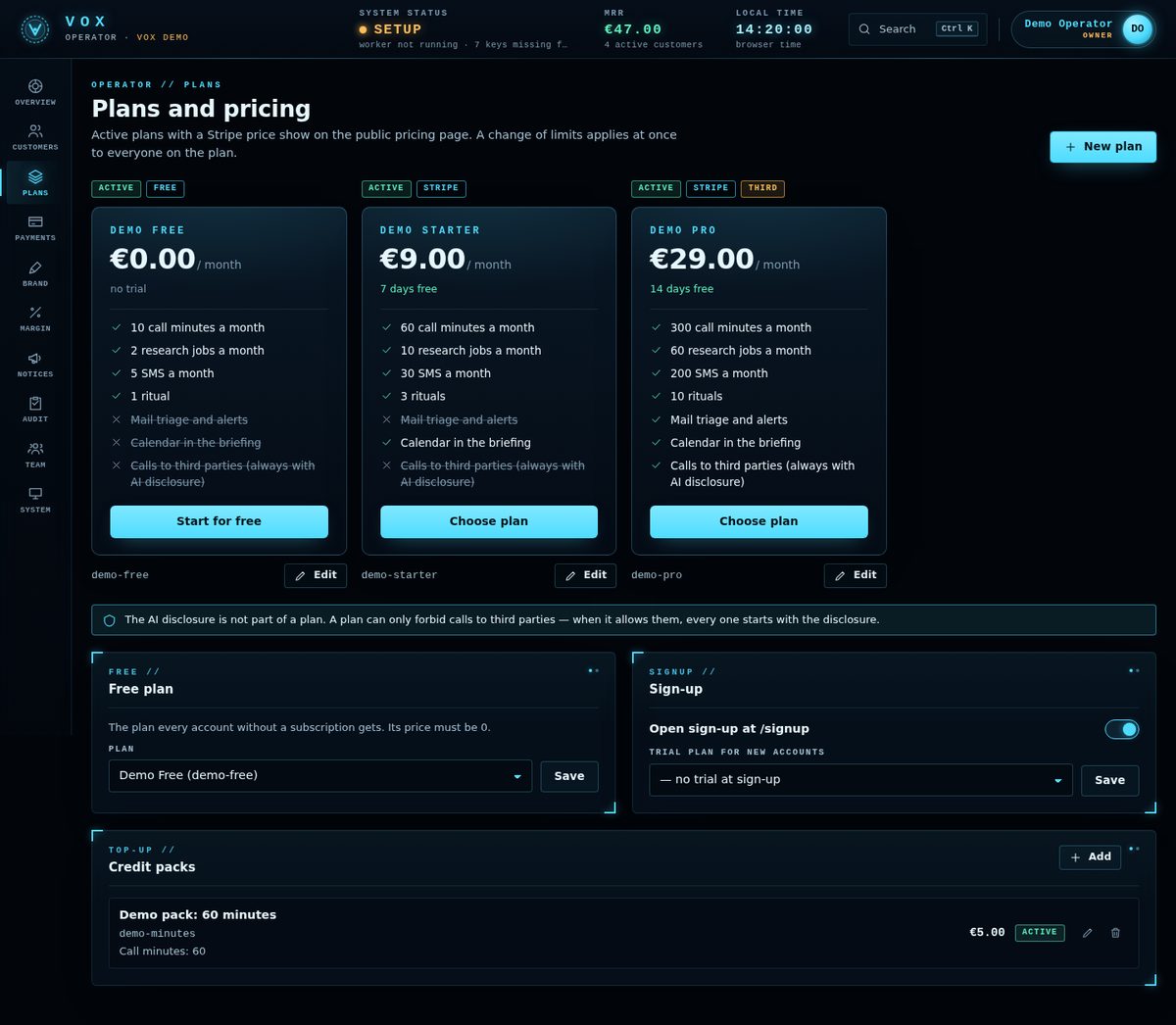
Each plan has an id, name, price, currency, interval (month or year), trial days and the Stripe price ID. Limits: call_minutes, research_jobs, sms, rituals, Telegram / e-mail messages (a number, or unlimited) and the switches mail_triage, calendar, third_party_calls. Details in Earnings.
06Payments
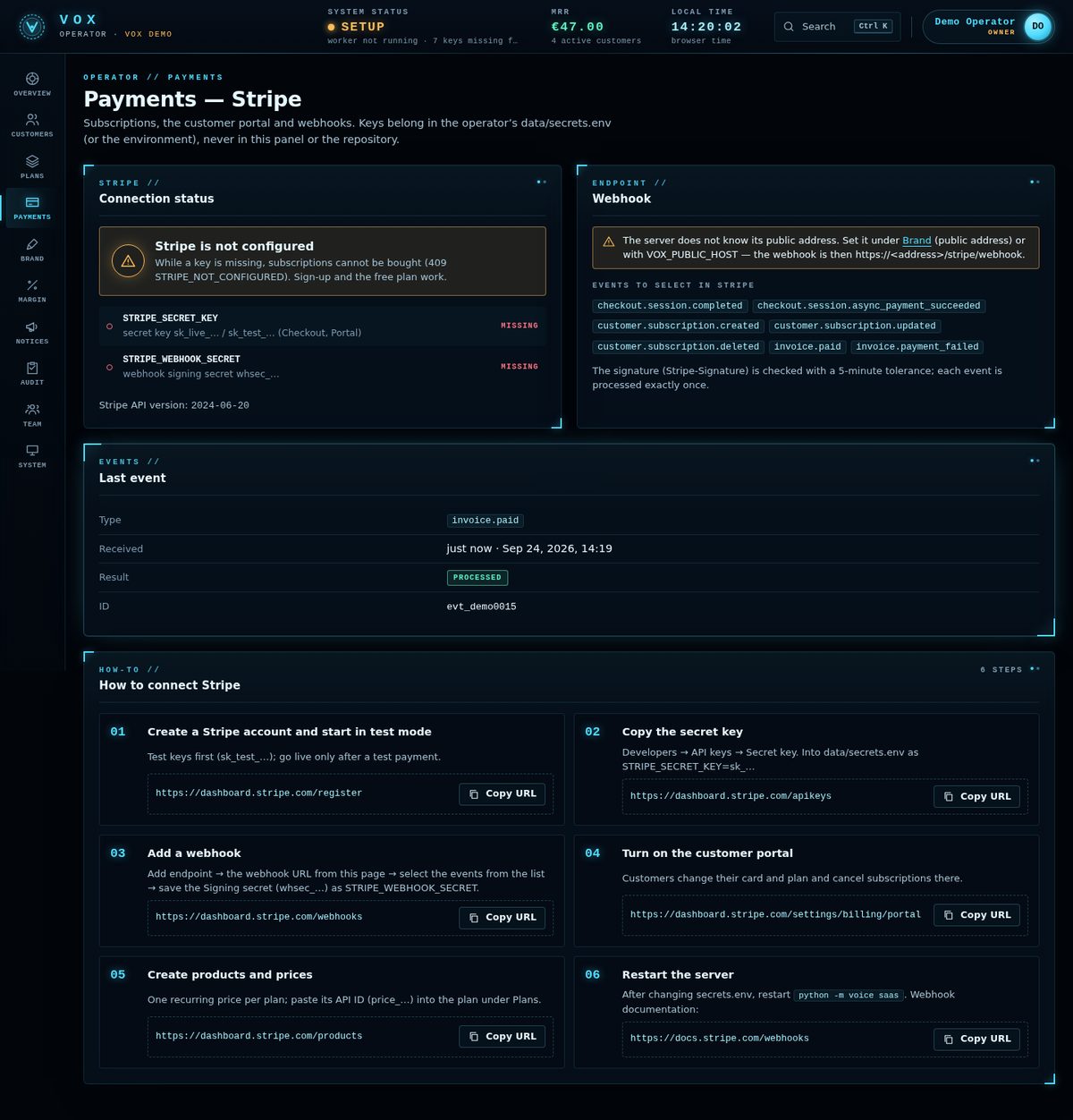
Stripe connection status, the exact webhook URL and the events to select, the last event received, failed deliveries, unmapped price IDs and a six-step guide to connect Stripe (Earnings → Stripe). Owner only.
07Brand
Product name, assistant name, logo, accent colours, public service address, default language, support e-mail, company, address, terms and privacy URLs. See Rebranding.
08Margin
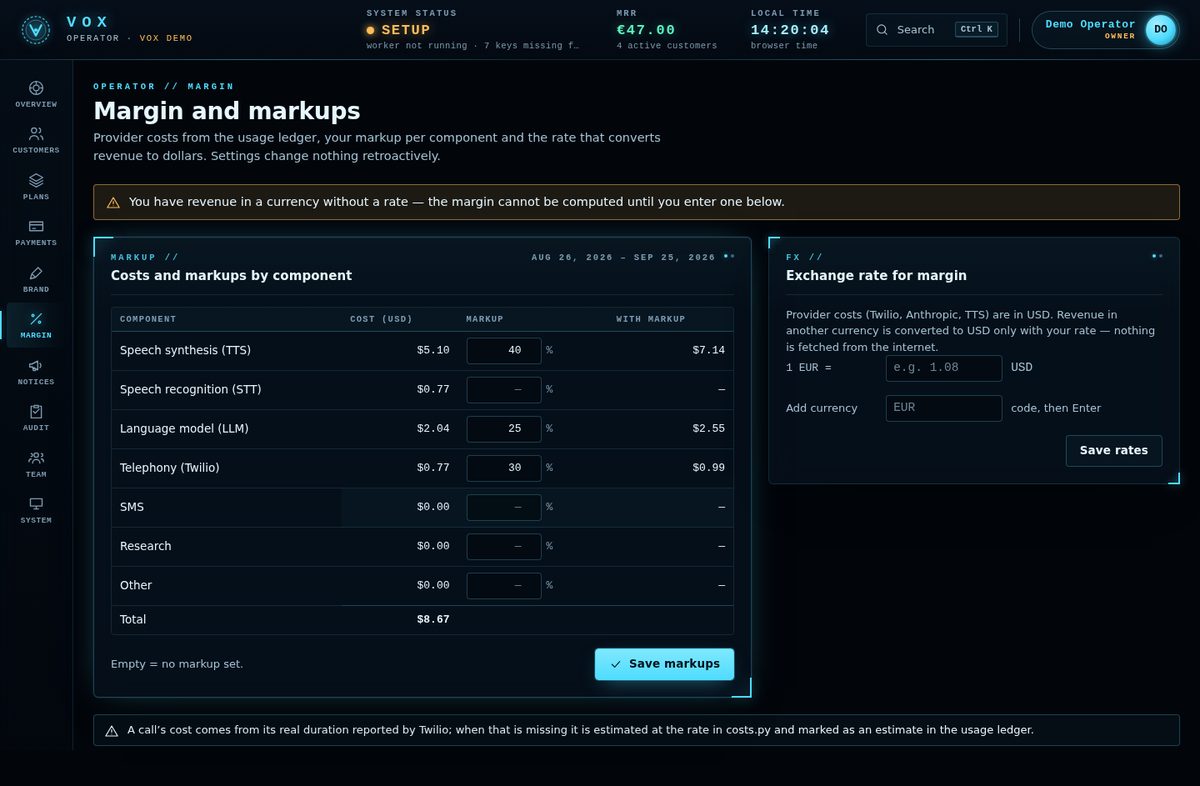
A markup per cost component (TTS, STT, LLM, telephony, SMS, research, other) and an exchange rate, so margins can be computed when revenue and provider costs are in different currencies. Until the rate is set, the margin shows "—". Owner only.
09Announcements, Audit, Team
- Announcements (Notices): messages that appear in every customer's console.
- Audit: operator actions with who and when.
- Team (owner only): add operators and set their role.
10System
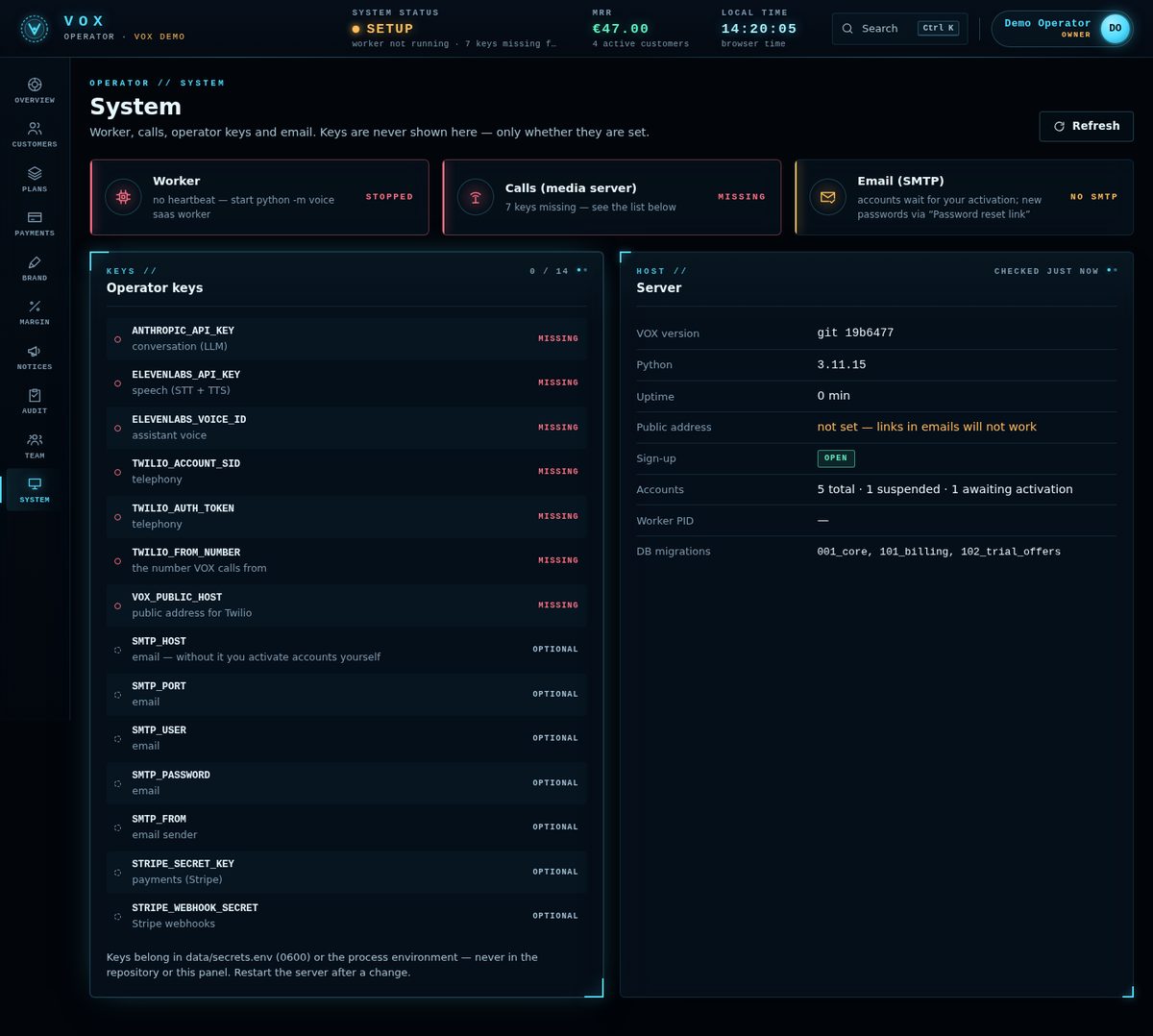
Worker heartbeat, the media server (which required keys are missing), SMTP state, each operator key as set / missing / optional (never the value), VOX version, Python, uptime, public address, sign-up state, accounts and applied database migrations.
Customer channels → Point the bot at this server (owner only) connects your Telegram bot's webhook to https://<VOX_PUBLIC_HOST>/telegram so customers can link their chats. Give your plans a Telegram / e-mail messages limit: a plan saved before that limit existed has 0.
11Google OAuth web client
- Enable APIsGoogle Cloud Console: enable the Gmail API and the Google Calendar API.
- Create the clientCredentials → Create credentials → OAuth client ID → type Web application.
- Redirect URI
https://<VOX_PUBLIC_HOST>/app/oauth/google/callback - Install the fileDownload the JSON (it must contain a
"web"section) and setGOOGLE_OAUTH_WEB_CLIENT_FILEto its path, or place it atdata/saas/google_oauth_web_client.json. - Test usersUntil Google verifies your app, add your users as test users on the OAuth consent screen.
Scopes are exactly gmail.readonly, calendar.readonly, and calendar.events only when a customer allows creating events. PKCE is used; the state is single-use and valid 10 minutes. A plan without mail_triage / calendar cannot start the flow.
12E-mail (SMTP)
With SMTP_* set, sign-up sends a verification link (valid 48 hours) and "forgot password" sends a reset link (30 minutes). Without SMTP, new accounts stay pending until you activate them in the panel, and you create reset links for users from the panel.
13Quotas during calls
Quotas are checked before every dial, research job, SMS and ritual; when exhausted the answer is 402 QUOTA_EXCEEDED. A call does not start without minutes for the disclosure plus 60 seconds. When minutes run out during a call, the assistant says one fixed sentence and hangs up, after the disclosure, never during it.